
SIEM Integration
Webhook Forwarder
- ASP has a built-in Forwarder plugin that forwards alerts sent by SIEM Webhooks to the corresponding Redis Stack Stream.
- The Forwarder automatically parses alert names in Kibana/Splunk and creates a Stream with the same name in Redis Stack based on the alert name.
- Forwarder documentation Forwarder
- The URL format for the Forwarder is:
http://<ASF_SERVER_IP>:<ASF_SERVER_PORT>/api/v1/webhook/<SIEM_NAME>
<SIEM_NAME>supportskibanaandsplunkFor ease of integration, the Forwarder Webhook does not require authentication and access control can be done via a firewall.
Splunk Integration
The SOC team first needs to integrate security devices or related system logs into Splunk according to their own needs and create alerts according to business requirements.
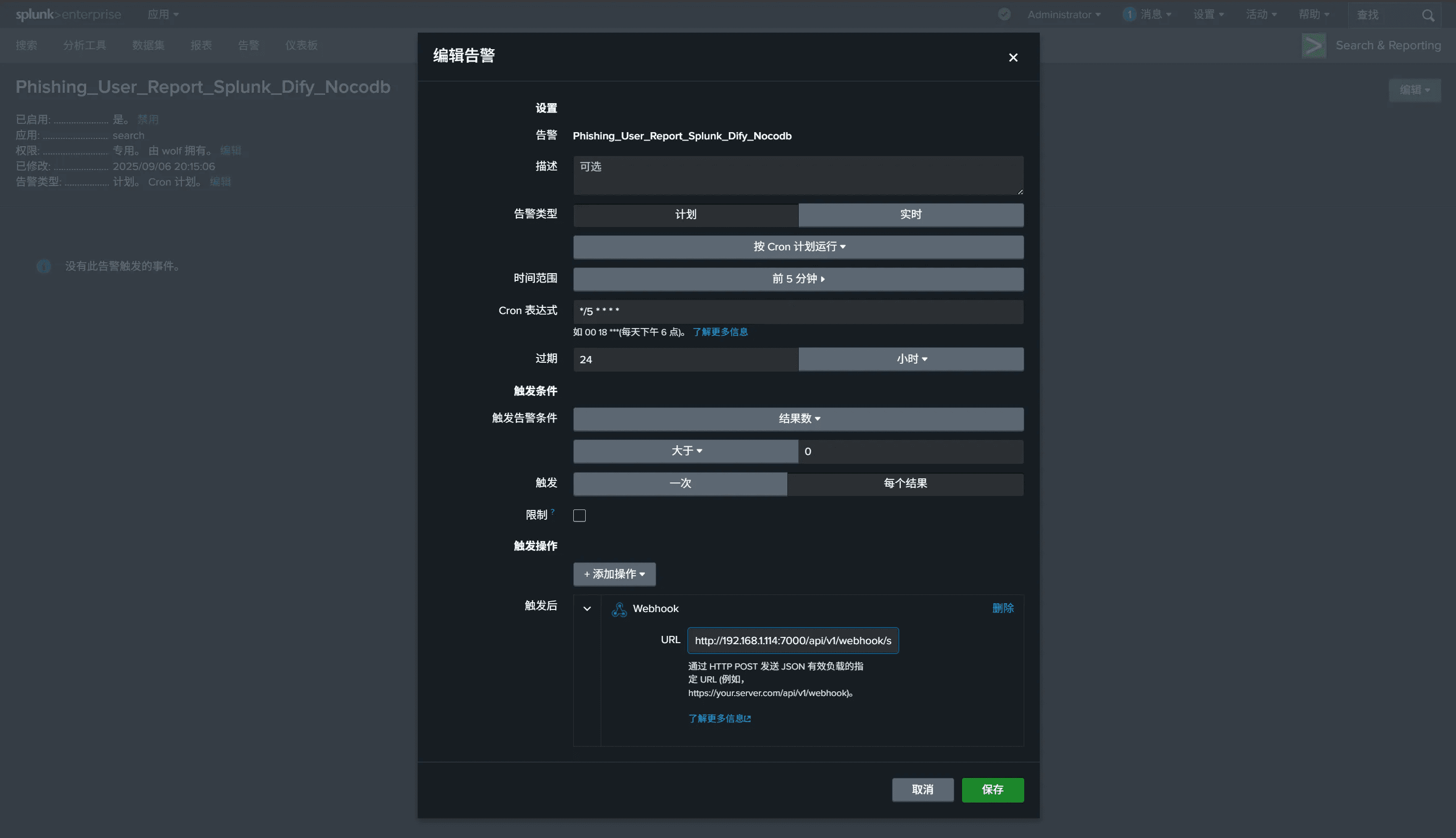
For triggering, select
each resultto ensure all alerts are obtained.The Webhook link is
http://<ASF_SERVER_IP>:<ASF_SERVER_PORT>/api/v1/webhook/splunkThe Forwarder will automatically forward the alert to the corresponding Stream in Redis Stack, and the Stream name will be the alert name.
For example, the alert in the image above will be forwarded to the
Phishing_user_Report_Dify_Nocodbqueue in Redis Stream.
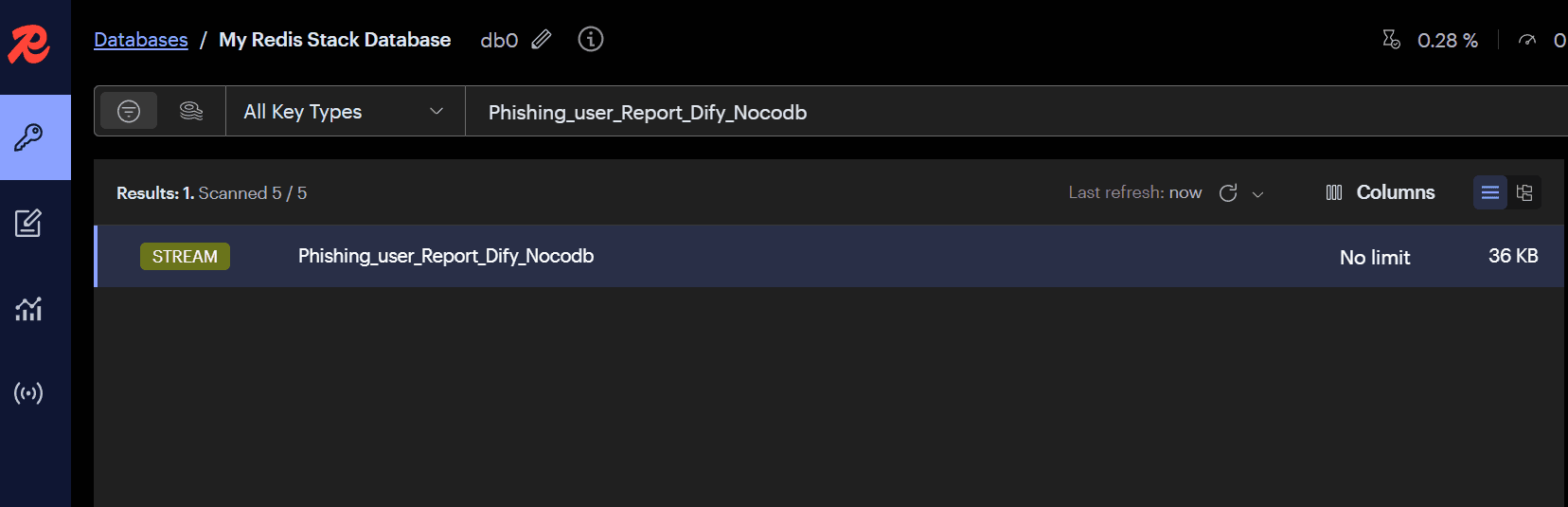
- Create a
Phishing_user_Report_Dify_Nocodb.pymodule inMODULEto handle this alert. - The original content of Splunk alerts is usually stored in the
_rawfield. The Forwarder will process the content of this field as the main information of the alert. When parsing alerts in the module, the following code is typically used:
alert = self.read_message()
if alert is None:
    return

# Example: For Splunk webhooks
alert = json.loads(alert["_raw"])
Kibana (ELK) Integration
The SOC team first needs to integrate security devices or related system logs into ELK according to their own needs and create Rules according to business requirements.
Create
Webhook ConnectorswithAuthenticationasNone, and add theheaderContent-Type: application/json.The Webhook URL is
http://<ASF_SERVER_IP>:<ASF_SERVER_PORT>/api/v1/webhook/kibana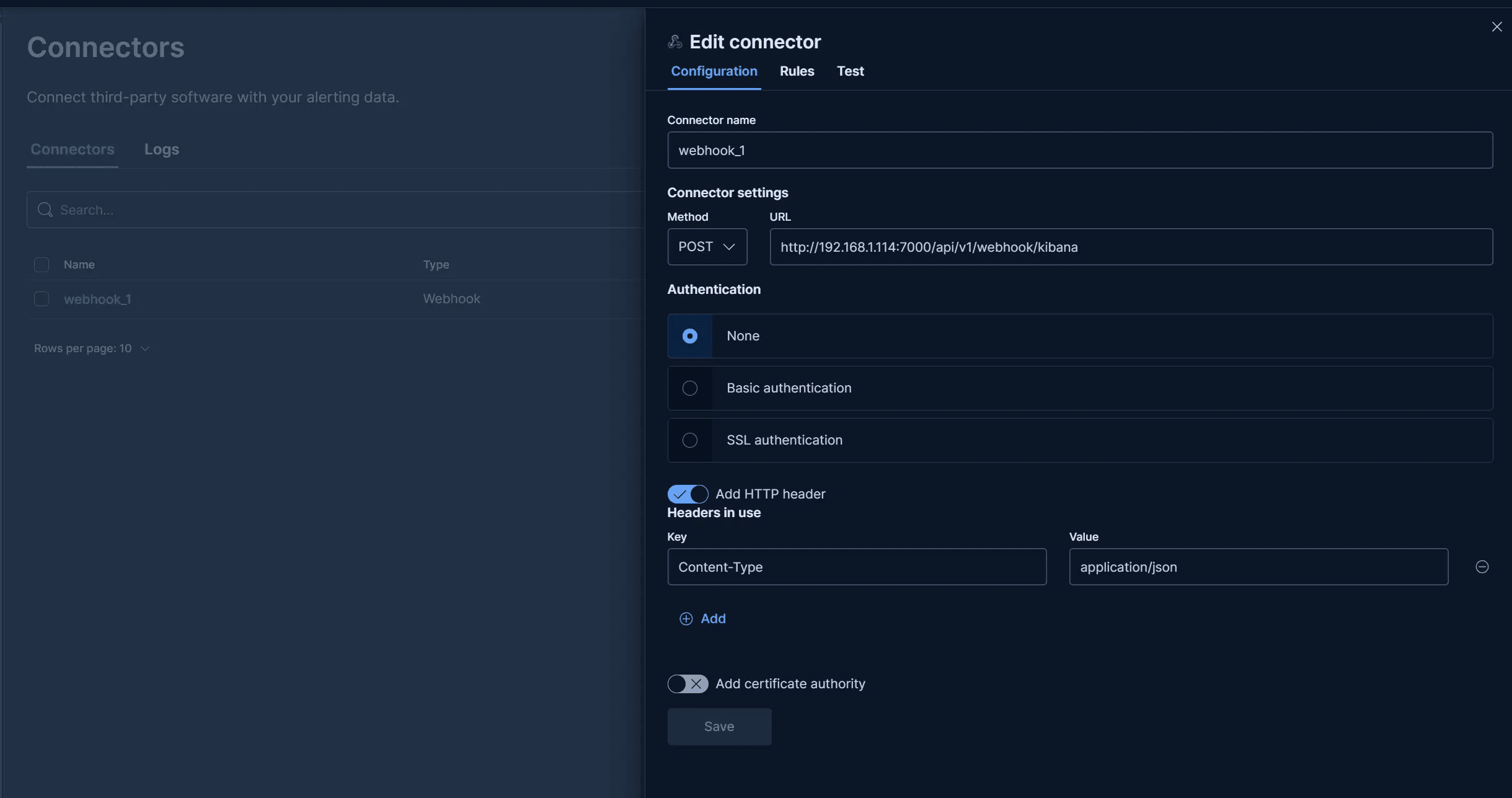
In Kibana, for each Rule, select the
Webhook Connectorscreated above forAction.The
Messagecontent uses the following JSON template (context.hits contains the documents filtered by the alert, i.e., raw logs):
{
  "rule":{
    "name":"{{rule.name}}"
  },
  "context":{
    "hits":[{{{context.hits}}}]
  }
}- In
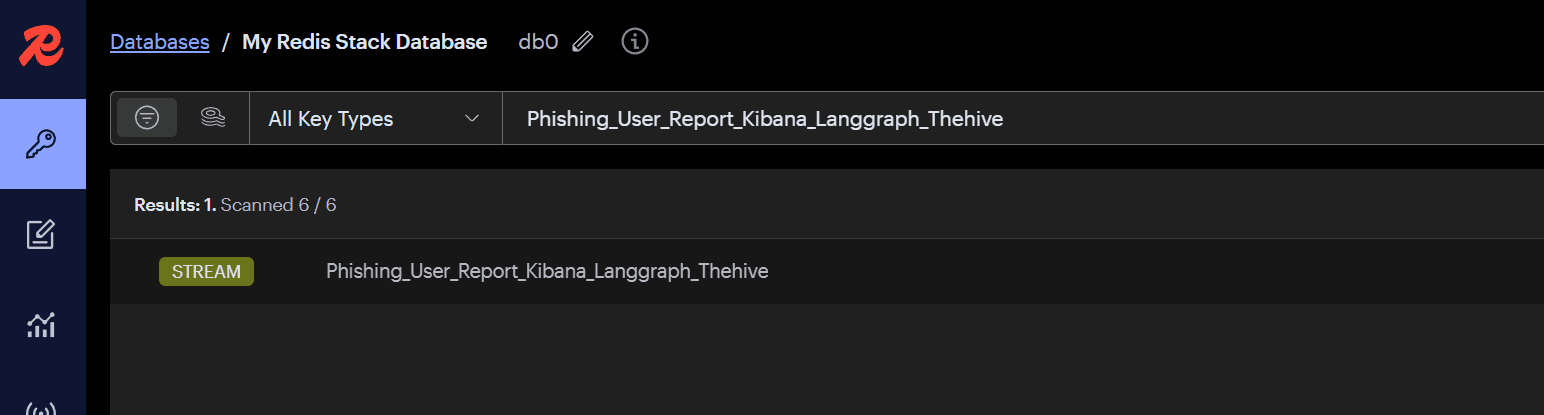
Details,Rule namewill be used as the alert name. The Forwarder will forward the alert to the corresponding Stream in Redis Stack, and the Stream name will be the alert name.
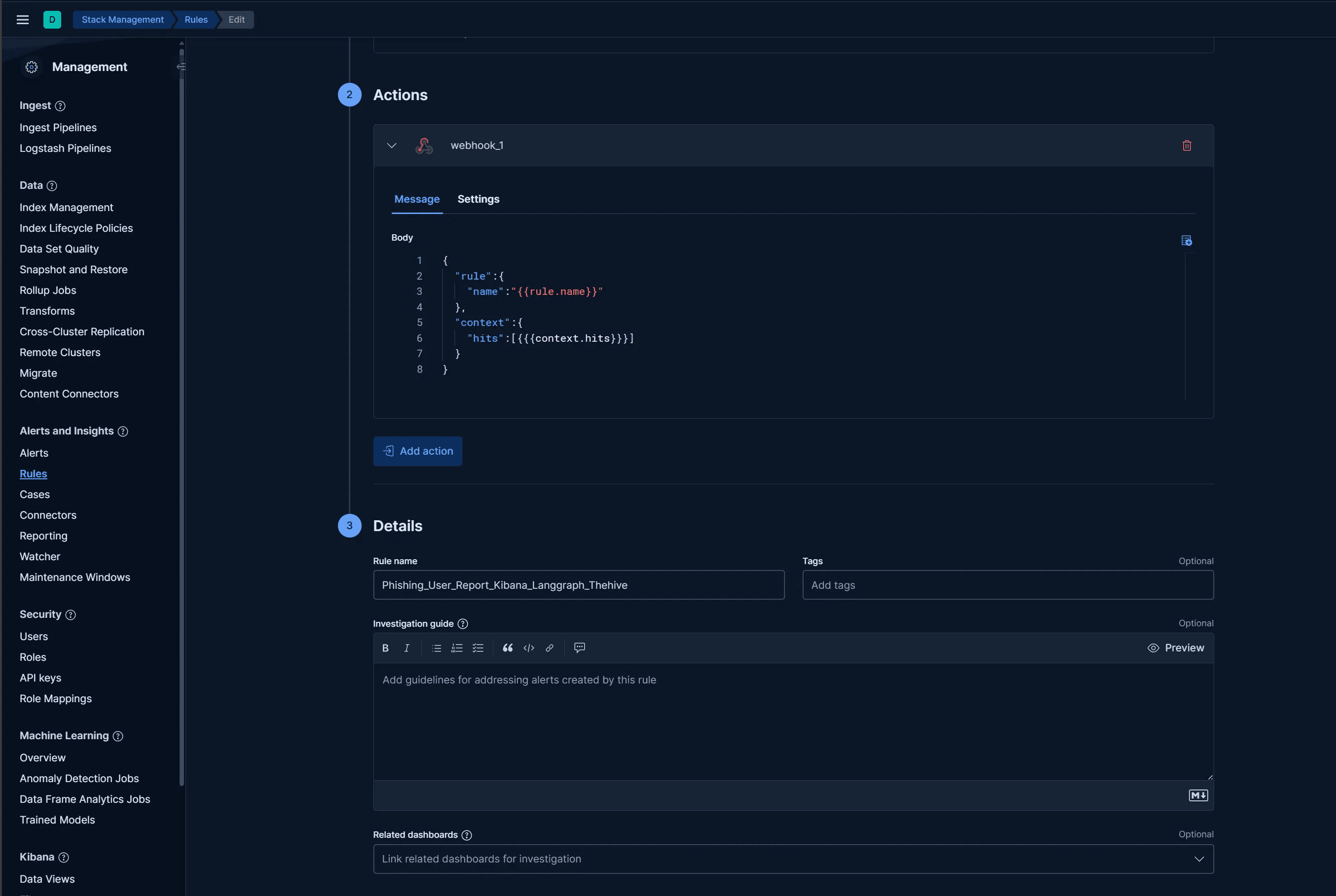
- For example, the alert in the image above will be forwarded to the
Phishing_User_Report_Kibana_Langgraph_Thehivequeue in Redis Stream.
- Create a
Phishing_User_Report_Kibana_Langgraph_Thehive.pymodule inMODULEto handle this alert.