SIRP 剧本开发指南
Alert_Suggestion_Gen_By_LLM 是 SIRP 剧本的模板样例,以此剧本介绍如何开发 SIRP 剧本.
准备
- 首先确认剧本用于何种数据类型(Alert/Case/Artifact等)
- 新建或拷贝并重命名已有剧本文件
获取输入参数
- 每个剧本与一类数据类型绑定,剧本执行时会传入该数据类型对应的worksheet和rowId(可以理解为数据库表和主键ID),剧本执行过程中可以通过接口获取一条完整的数据.
- 通过接口还可以获取数据记录的关联数据,例如通过 Case 的 rowId 获取该 Case 关联的 Alerts 列表.Alerts 列表中每一条 Alert 也可以通过接口获取 Artifact 列表.
- 实现代码可以参考
preprocess_node节点代码 - 此种方式的好处是用户执行剧本时无需输入参数,剧本可以通过接口获取所需的所有数据
- 获取worksheet/rowId/user/playbook_rowid的代码
python
self.param("worksheet")
self.param("rowid")
self.param("user")
self.param("playbook_rowid")
更新任务结果并发送通知
- SIRP 每次执行剧本都会在 Playbook 的 worksheet中创建一条记录
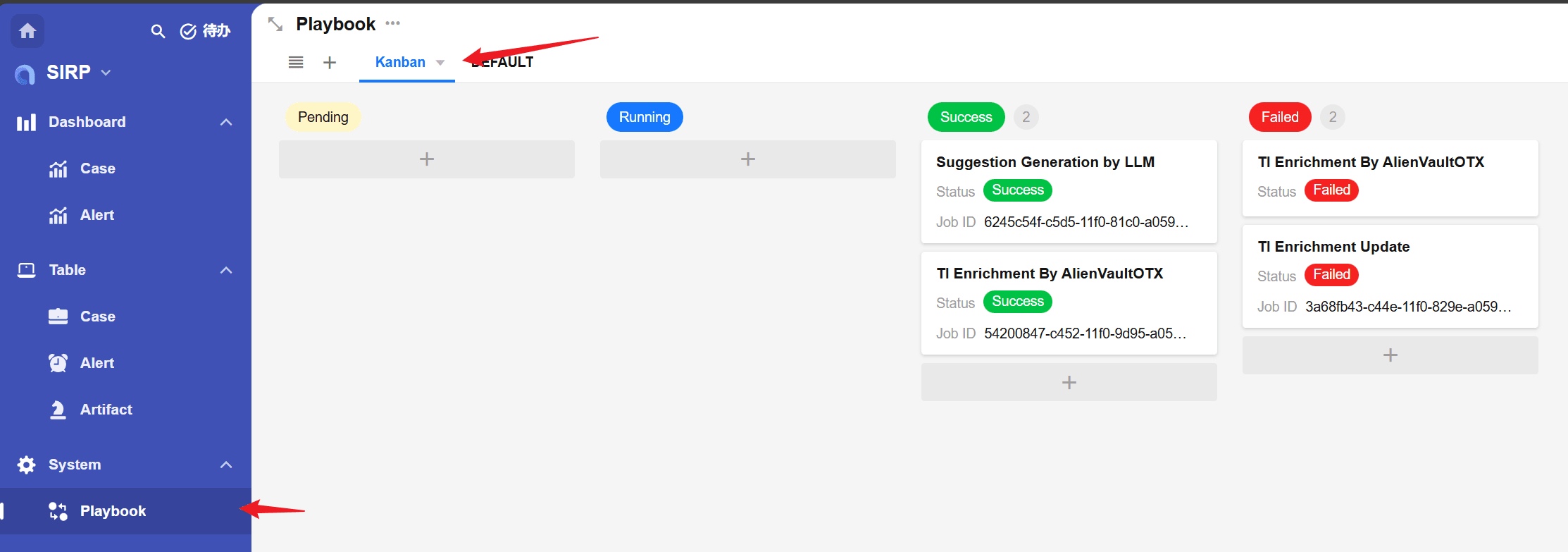
- 每次执行完成后建议通过如下代码更新任务结果
python
from PLUGINS.SIRP.sirpapi import Playbook as SIRPPlaybook
SIRPPlaybook.update_status_and_remark(self.param("playbook_rowid"), "Success", "Get suggestion by ai agent completed.") # Success/Failed- 推荐在执行完成后通过 Notice.send 向执行脚本的用户发送通知
python
from PLUGINS.SIRP.sirpapi import Notice
Notice.send(self.param("user"), "Alert_Suggestion_Gen_By_LLM output_node Finish", f"rowid:{self.param('rowid')}")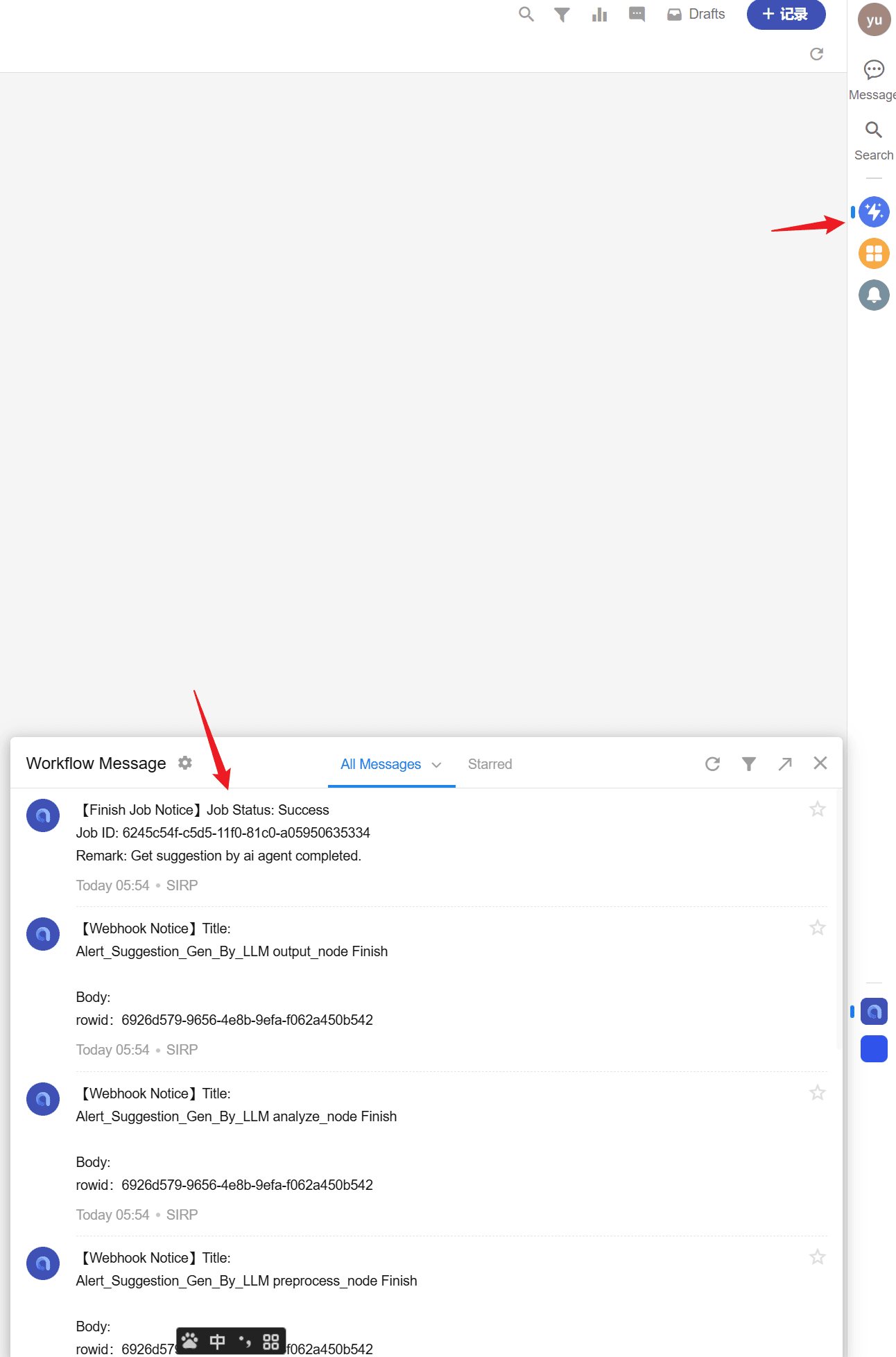
SIRP 注册
应用于 SIRP 的剧本需要一个分类标签(CASE/ALERT/ARTIFACT)和人类可读的名字,便于使用人员在 SIRP 界面中选择剧本执行.
剧本中使用 TYPE 和 NAME 两个类变量进行注册.
python
class Playbook(LanggraphPlaybook):
    RUN_AS_JOB = True  # 异步模块
    TYPE = "ALERT"  # 分类标签
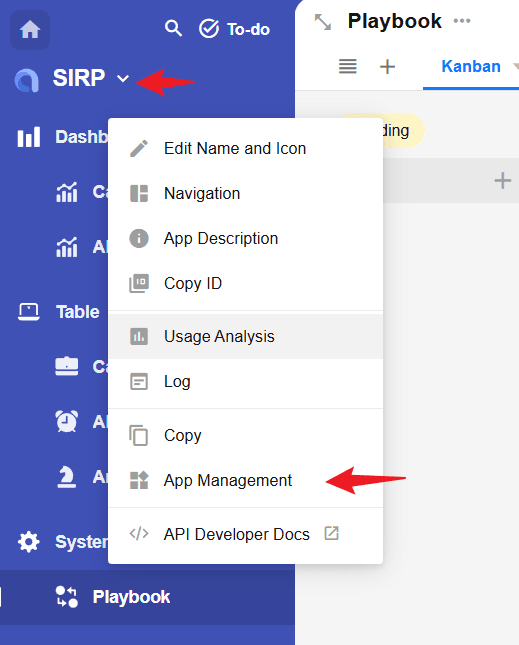
NAME = "Suggestion Generation by LLM" # 剧本名称- 剧本编写完成后,需要在 SIRP 中将剧本名称添加到对应的选项集中.
playbook_artifactplaybook_alertplaybook_case分别对应Artifact/Alert/Case类型剧本.
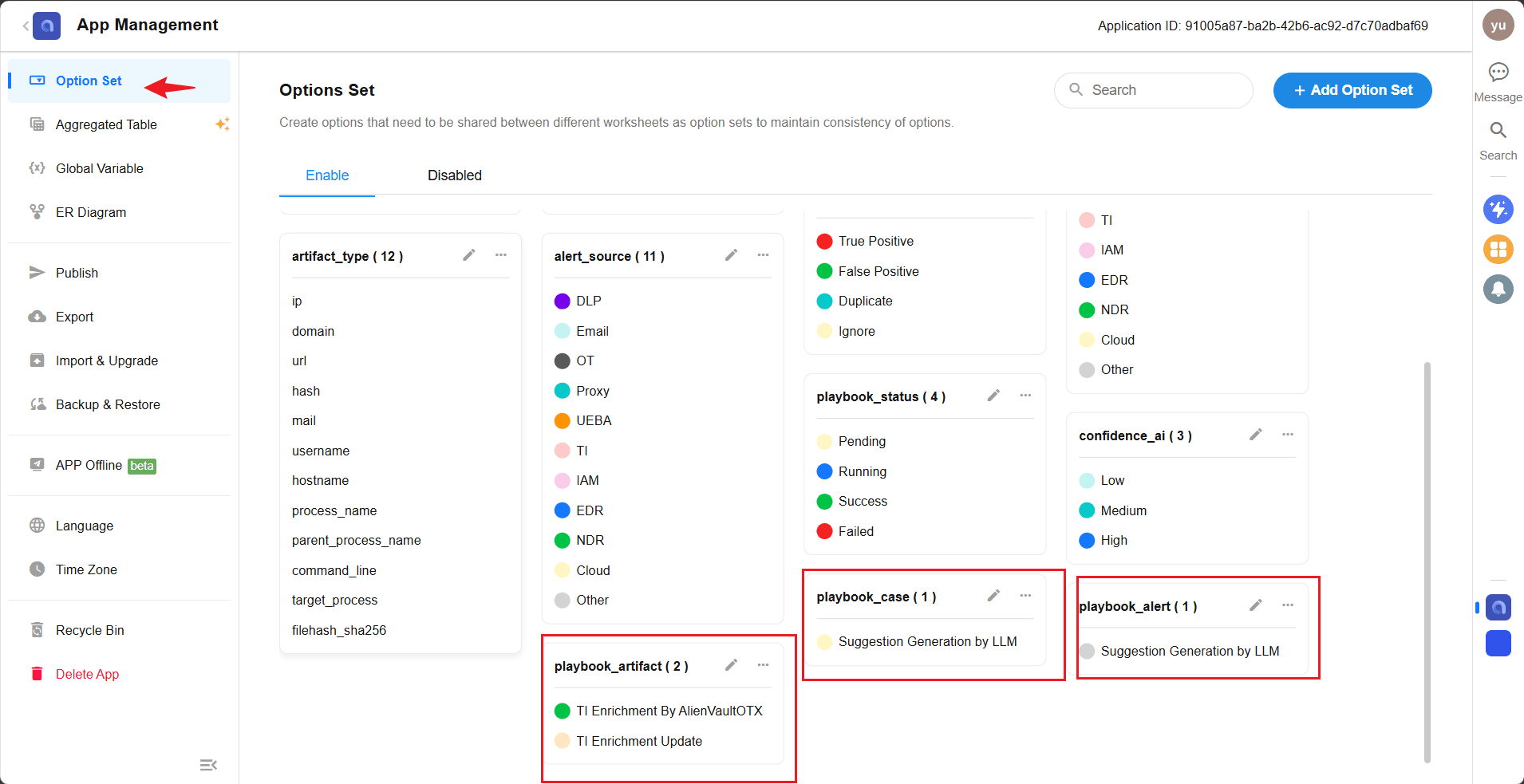
- 添加完成后,在 SIRP 打开对应的记录,点击
Playbook按钮即可选择新添加的剧本执行.
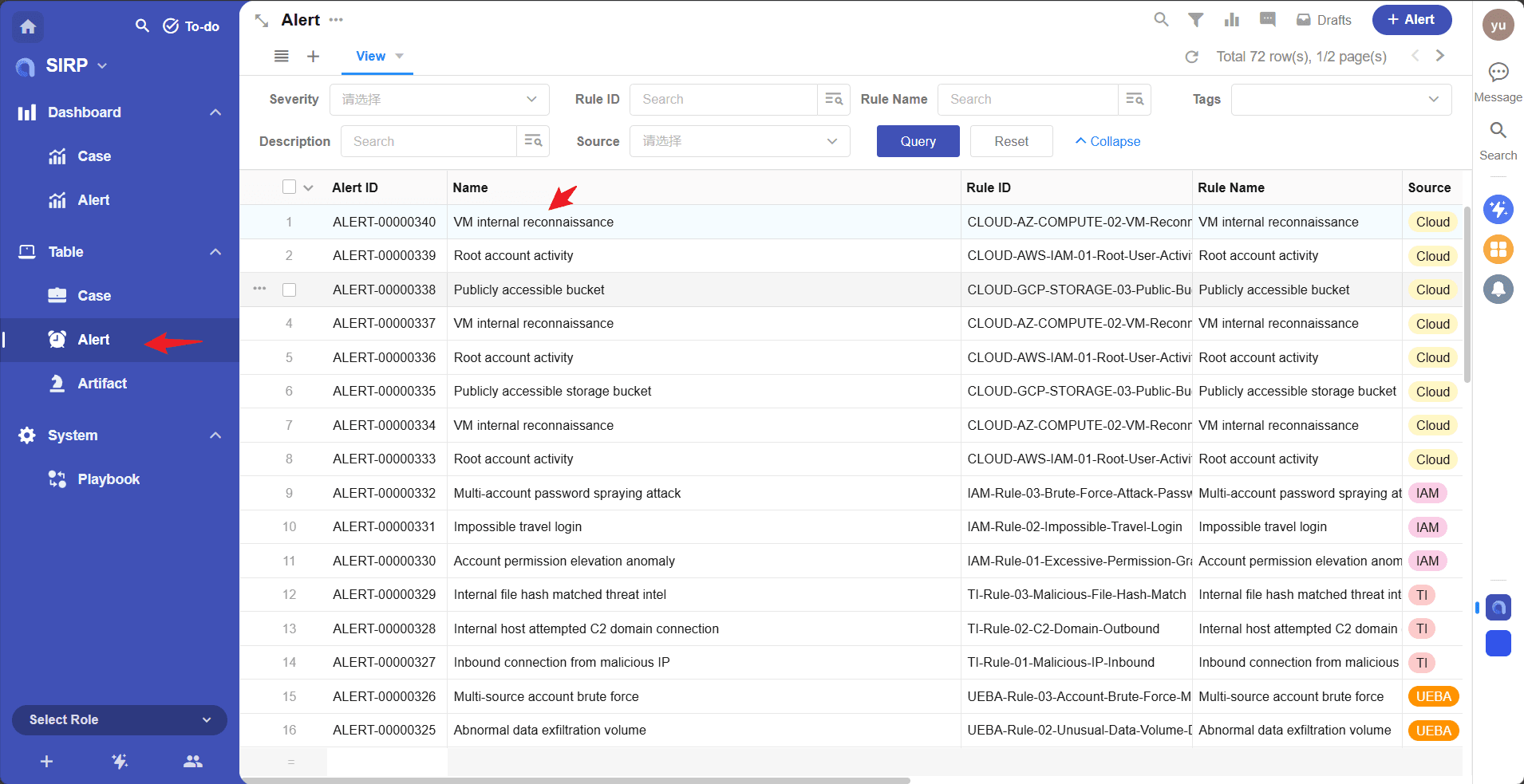
选择一条 Alert 记录
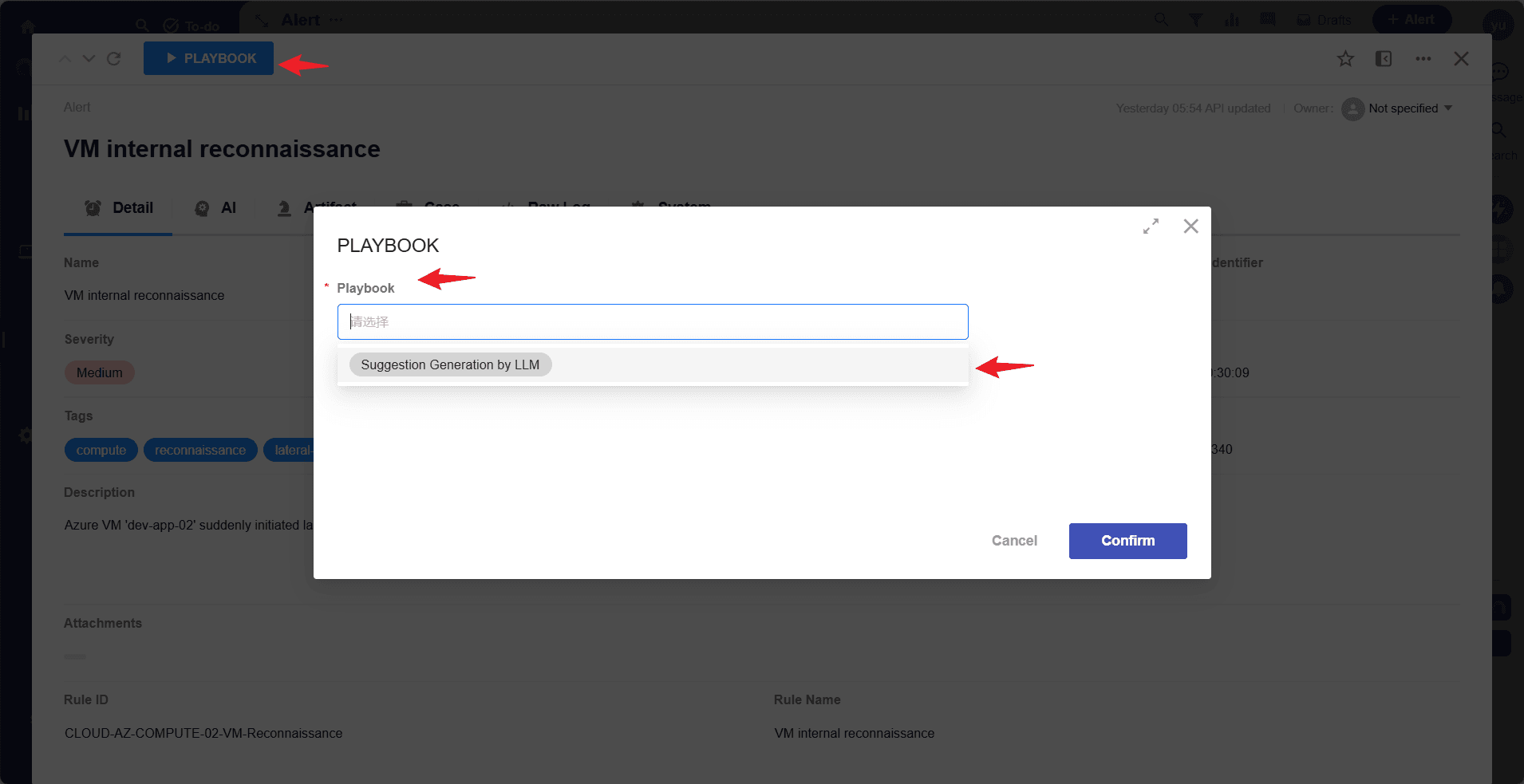
选择剧本并执行
- 剧本任务执行状态可以在
Playbook中查看
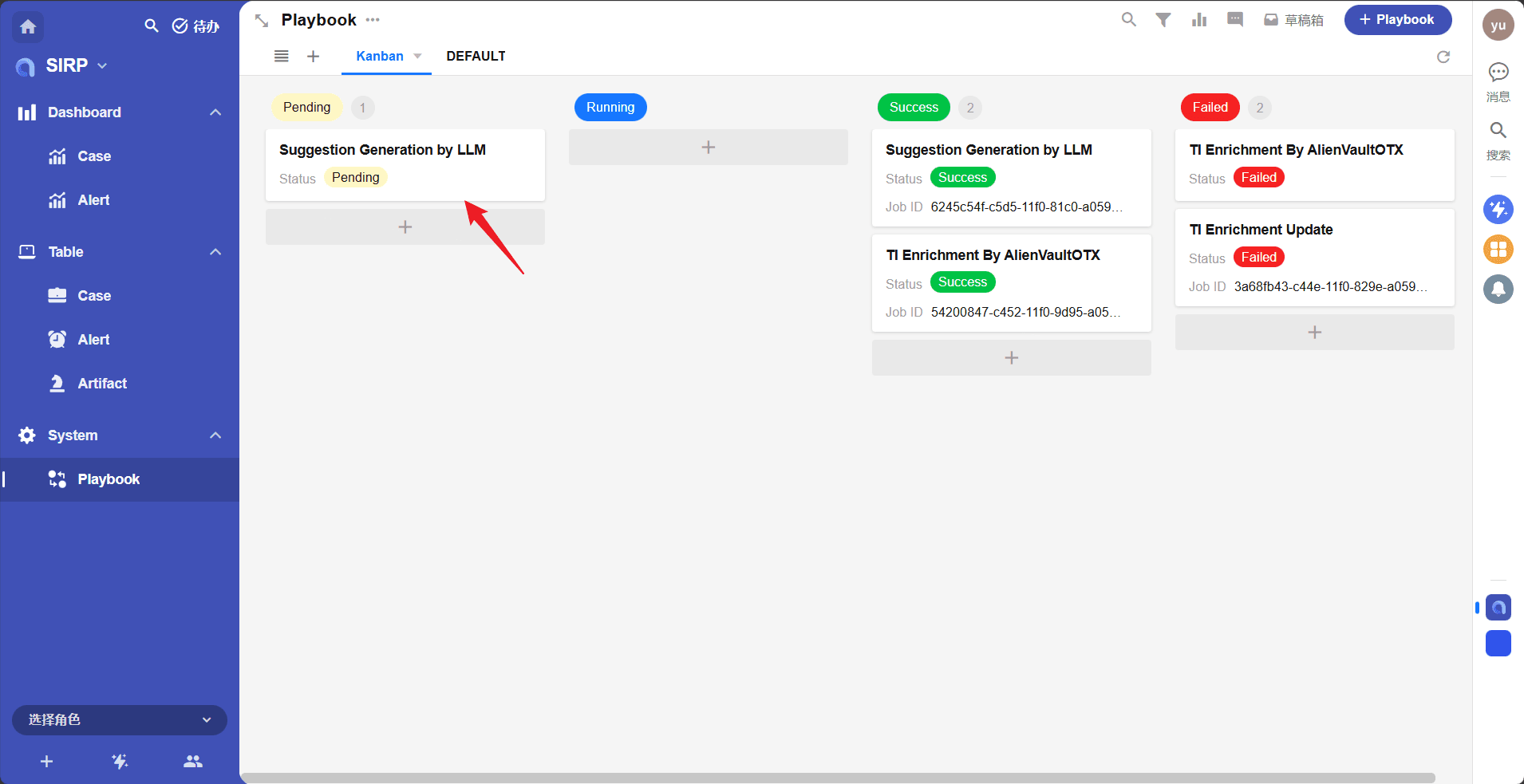
剧本调试
- 每个剧本文件是一个单独的
Playbook类,可以直接执行进行开发调试 - 例如
Alert_Suggestion_Gen_By_LLM剧本应用于Alert记录
python
if __name__ == "__main__":
    params_debug = {'rowid': '55639caf-c648-4130-bc9f-8d38becfe20f', 'worksheet': 'alert'}
    module = Playbook()
    module._params = params_debug
module.run()- 其中
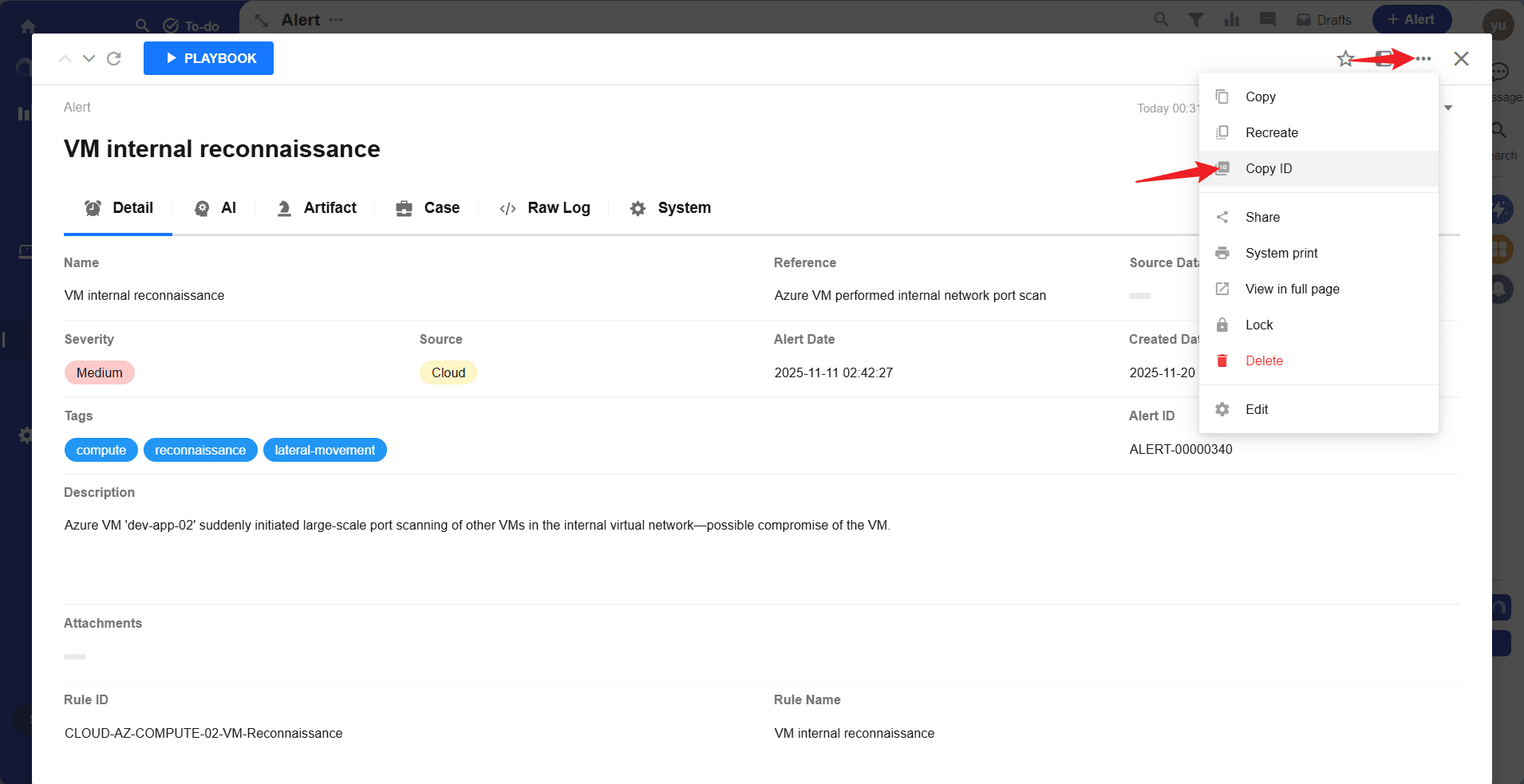
rowid可以通过如下图方法获取