
威胁情报
威胁情报设置用于配置 ASP 的 IOC 查询和威胁上下文富化能力。当前内置 AlienVaultOTX 和 OpenCTI 两个正式 Provider。
入口
威胁情报设置位于 System Settings 的 Threat Intelligence Tab。
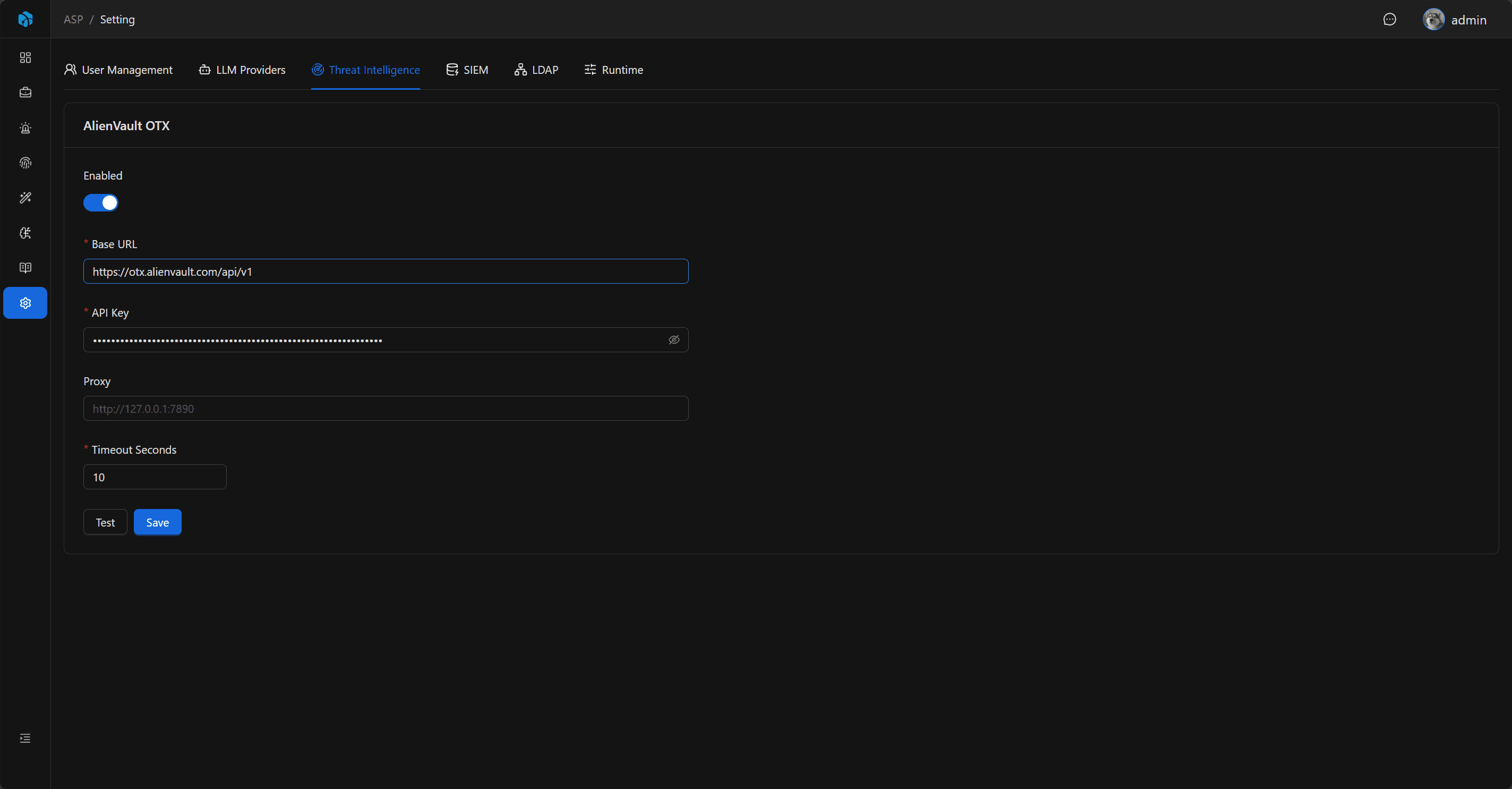
页面内按 Provider 分为两个 Tab:
AlienVault OTX:适合从 AlienVault OTX 查询公开 IOC 声誉、Pulse 和恶意上下文。OpenCTI:适合从团队自建 OpenCTI 平台读取 STIX / OpenCTI 对象、关系和报告上下文。
AlienVault OTX
注册 AlienVault OTX 后,可以在账号设置页获取 API Key。
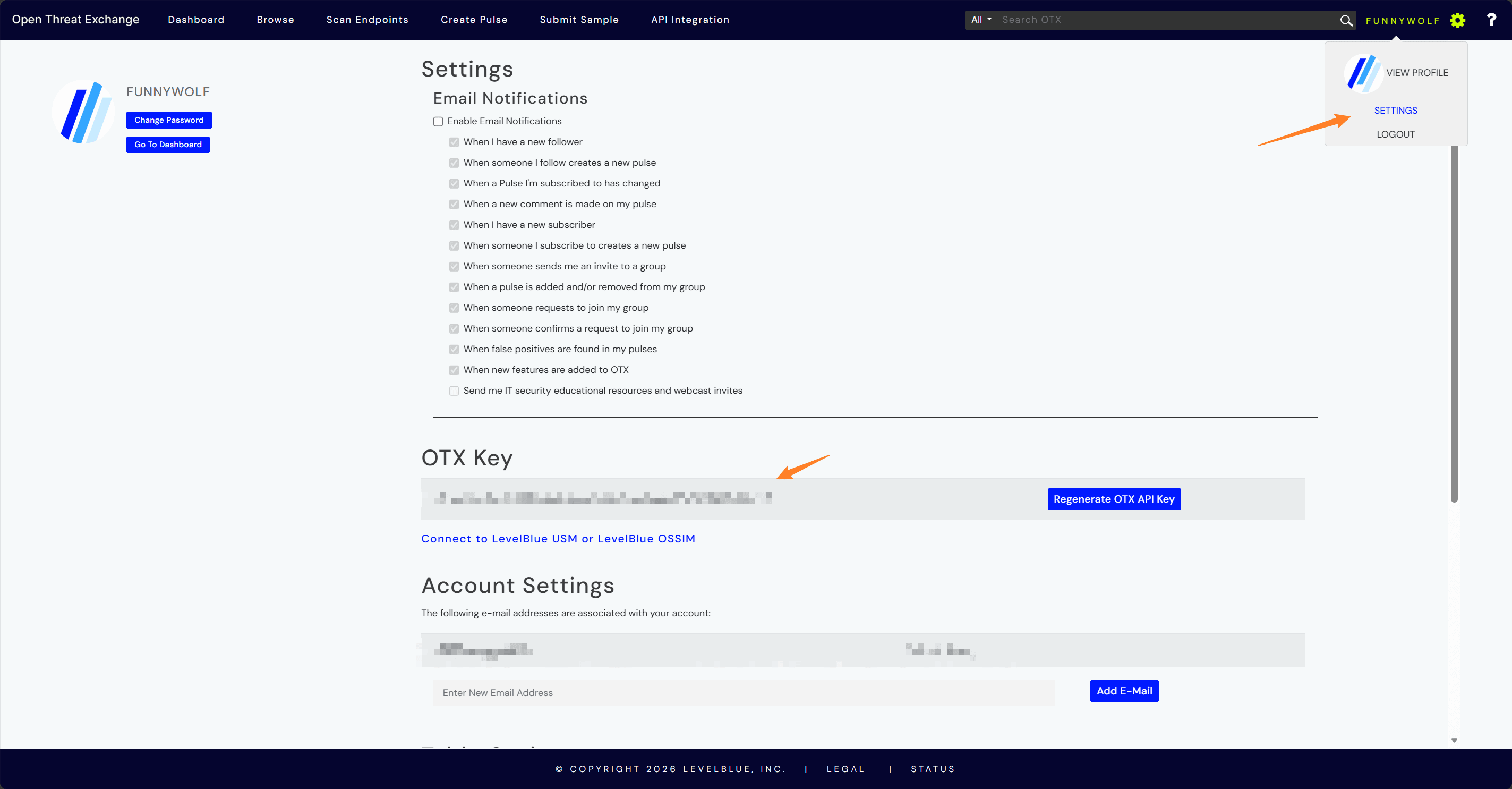
配置项
| 字段 | 说明 |
|---|---|
| Enabled | 是否启用 AlienVault OTX。 |
| API Key | AlienVault OTX API Key。 |
| Base URL | OTX API 地址,默认 https://otx.alienvault.com/api/v1。 |
| Proxy | 可选代理。 |
| Timeout Seconds | 查询超时时间。 |
Proxy 支持 http://、https://、socks4://、socks5:// 开头的代理地址。
测试行为
保存前可以使用 Test 验证配置。OTX 访问需要认证的 /user/me 接口,确认 API Key、Base URL、Proxy 和 Timeout 可用。
OpenCTI
OpenCTI Provider 用于连接自建 OpenCTI 平台,把 OpenCTI 中的 Indicator、Observable、Vulnerability、Malware、Threat Actor、Campaign、Report、Sighting 等对象和关系转换为 ASP 的威胁情报富化结果。
登录 OpenCTI 后,可以在账号设置页获取 API Key。
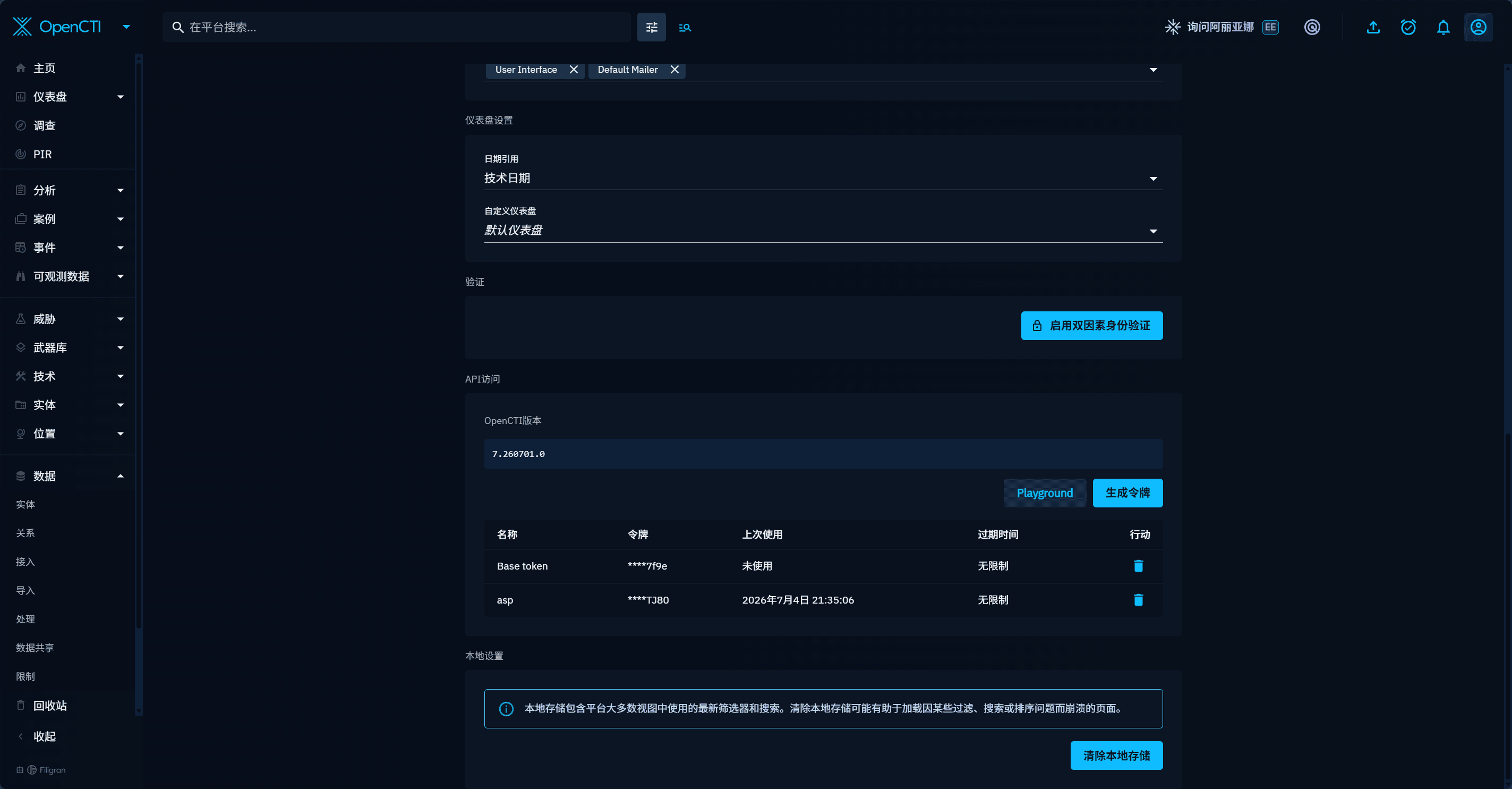
配置项
| 字段 | 说明 |
|---|---|
| Enabled | 是否启用 OpenCTI。 |
| Base URL | OpenCTI 平台地址,例如 http://localhost:8080。 |
| API Token | OpenCTI API Token。 |
| SSL Verify | 是否验证 OpenCTI HTTPS 证书。 |
| Proxy | 可选代理。 |
| Timeout Seconds | 查询超时时间。 |
测试行为
OpenCTI Test 会执行平台 health check,并尝试读取 1 条 Indicator 或 Observable 来确认 Token 具有读取权限。
Provider 行为
运行时会查询所有已启用的正式 Provider:
- 启用 OTX 且 API Key 存在时,查询
AlienVaultOTX。 - 启用 OpenCTI 且 URL / API Token 存在时,查询
OpenCTI。 - 调用方可以显式指定 Provider,例如 CLI 中使用
--provider OpenCTI。 - 如果没有启用任何正式 Provider,查询会返回配置错误。
多个 Provider 同时启用时,同一个 Artifact 可以产生多个威胁情报结果。每个结果会保留自己的 Provider、风险等级、声誉分数、标签、攻击技术、恶意软件家族、报告摘要和原始数据。
OpenCTI 类型映射
ASP 对外仍使用现有 Artifact Type 名称,OpenCTI Provider 内部会严格映射到 STIX / OpenCTI 类型,并在返回的 raw.opencti 中保留 stix_type、opencti_entity_types、matched_by 、匹配对象和一跳关系上下文。
常见映射包括:
| ASP Artifact Type | OpenCTI / STIX 查询类型 |
|---|---|
IP Address | IPv4-Addr / IPv6-Addr |
Hostname、Endpoint | Hostname,像域名的值也会查 Domain-Name |
URL String、Uniform Resource Locator | Url |
Hash、File、File Name、File Path、Fingerprint | StixFile |
Email Address、Email | Email-Addr / Email-Message |
MAC Address | Mac-Addr |
Process Name、Process、Process ID、Command Line | Process |
Registry、Registry Path | Windows-Registry-Key |
HTTP User-Agent | User-Agent |
User Name、User、Account | User-Account |
User Credential ID | Credential |
Resource UID、Resource、Device、Serial Number | Simple-Observable |
CVE、CWE | Vulnerability |
Country、Geo Location | Location |
Advisory | Report |
无法严谨映射的类型会返回 unsupported,不会做全文模糊搜索,避免把弱相关结果误写成有效威胁情报。
富化流程
Threat Intelligence Enrichment Playbook 会收集 Case 关联 Alert 中的 Artifact,对每个唯一 Artifact 查询威胁情报,并把结果写入 Artifact 的 Enrichment。
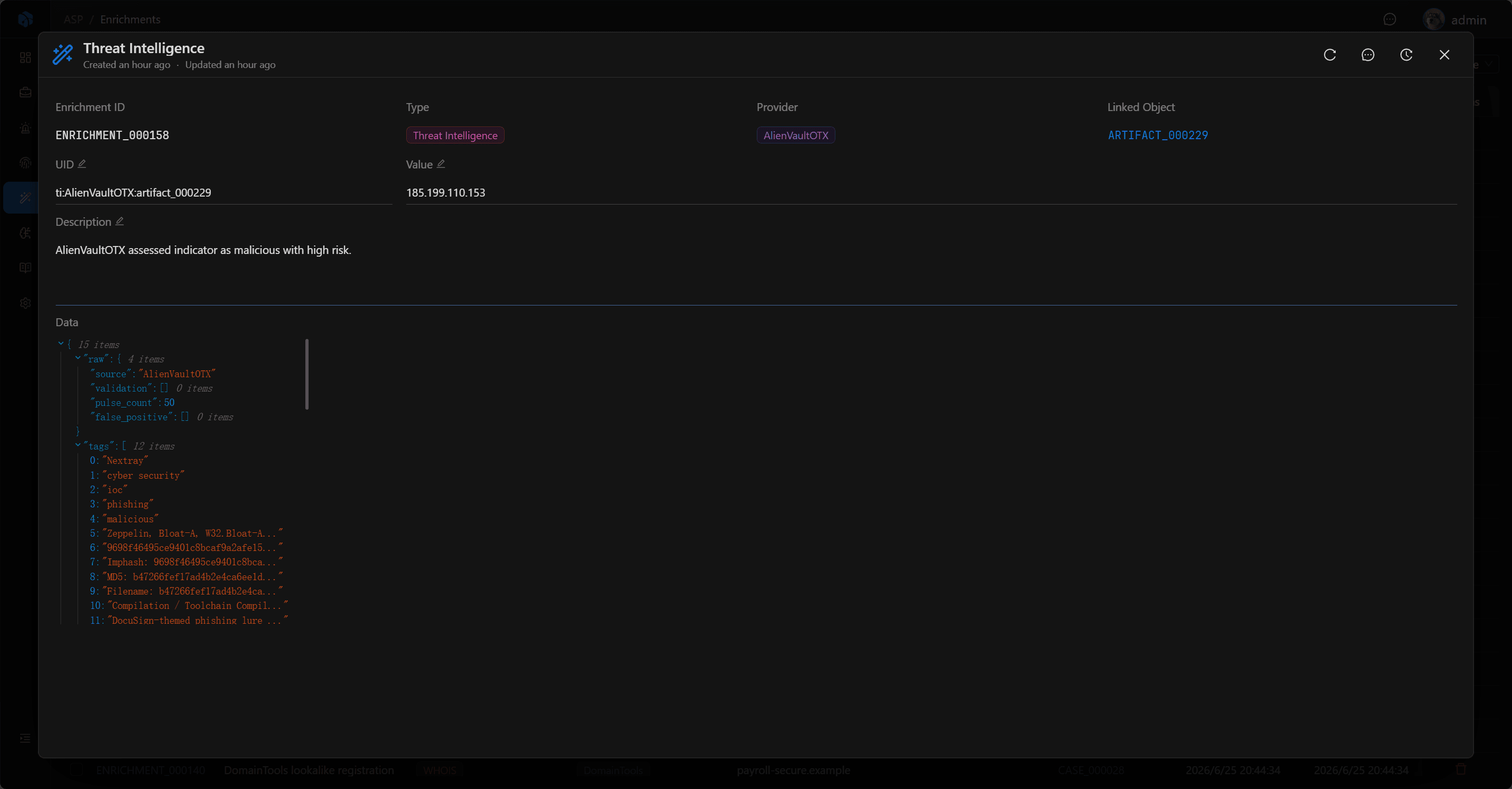
写入的 Enrichment 类型为 Threat Intelligence。OpenCTI 结果会保留通用字段和 OpenCTI 专属上下文:
- 通用字段:Provider、风险等级、声誉分数、恶意判断、标签、攻击技术、恶意软件家族、攻击组织、行业、报告摘要。
- OpenCTI 专属字段:匹配对象、STIX / OpenCTI 类型、一跳关系、相关 Malware、Threat Actor、Campaign、Infrastructure、Vulnerability、Report、Sighting 等,保存在
raw.opencti。
OpenCTI 风险等级优先使用匹配对象的最高 x_opencti_score:>=70 为 high,>=40 为 medium,>0 为 low。没有分数但存在恶意上下文时会回退为 medium。
使用建议
- 先使用 Test 确认 Provider 的 Key / Token 和网络可用。
- 对代理环境配置 Proxy。
- 控制 Timeout,避免外部服务影响调查流程。
- 如果同时使用 OTX 和 OpenCTI,建议在 Enrichment 中按 Provider 对比结果来源。
- 从 Case 执行 Threat Intelligence Enrichment 后,回到 Artifact 的 Enrichments 查看结果。
下一步
- Enrichment — 查看威胁情报结果如何挂载到 Artifact。
- Playbook — 执行
Threat Intelligence Enrichment自动化任务。 - Threat Intelligence Skill — 让 Harness Agent 查询威胁情报。