Development Guide
Playbooks are used to execute user-triggered automated tasks, such as:
- Calling LLM to analyze a Case and generate a report (Investigation)
- Analyzing the process and results of closed Cases to generate Knowledge (Knowledge Extraction)
- Adding threat intelligence enrichment to all Artifacts associated with a Case (Threat Intelligence Enrichment)
Investigation can serve as an example demonstrating the usage of key Playbook APIs.
Registering a Playbook
- Playbooks only operate on Cases — only Cases can run Playbooks
- Create a script file under the
PLAYBOOKSdirectory - The class name must be
Playbook, inheriting fromBasePlaybookorLanggraphPlaybook - The class must contain
NAME = "XXX", which serves as the registration name in SIRP - Implement the
runmethod, which will be called automatically by the framework - Recommended: copy an existing script and modify as needed
Retrieving Input Parameters
self.param_source_row_id— The row_id of the Case that triggered the Playbook, which can be used to call Case-related APIs (e.g., retrieve associated Alert lists, and then retrieve Artifact lists for each Alert)self.param_user_input— Additional user input at execution time (optional)- During Playbook execution, Case / Alert / Artifact can be updated via API
Updating Task Results
After execution completes, update the task status with the following code:
python
self.update_playbook_status(PlaybookJobStatus.SUCCESS, "Case Investigation Success.") # SUCCESS/FAILEDSIRP Registration
Playbooks must be registered in SIRP before they can be selected for execution in the UI.
Add the Playbook's NAME value to SIRP's PLAYBOOK option set:
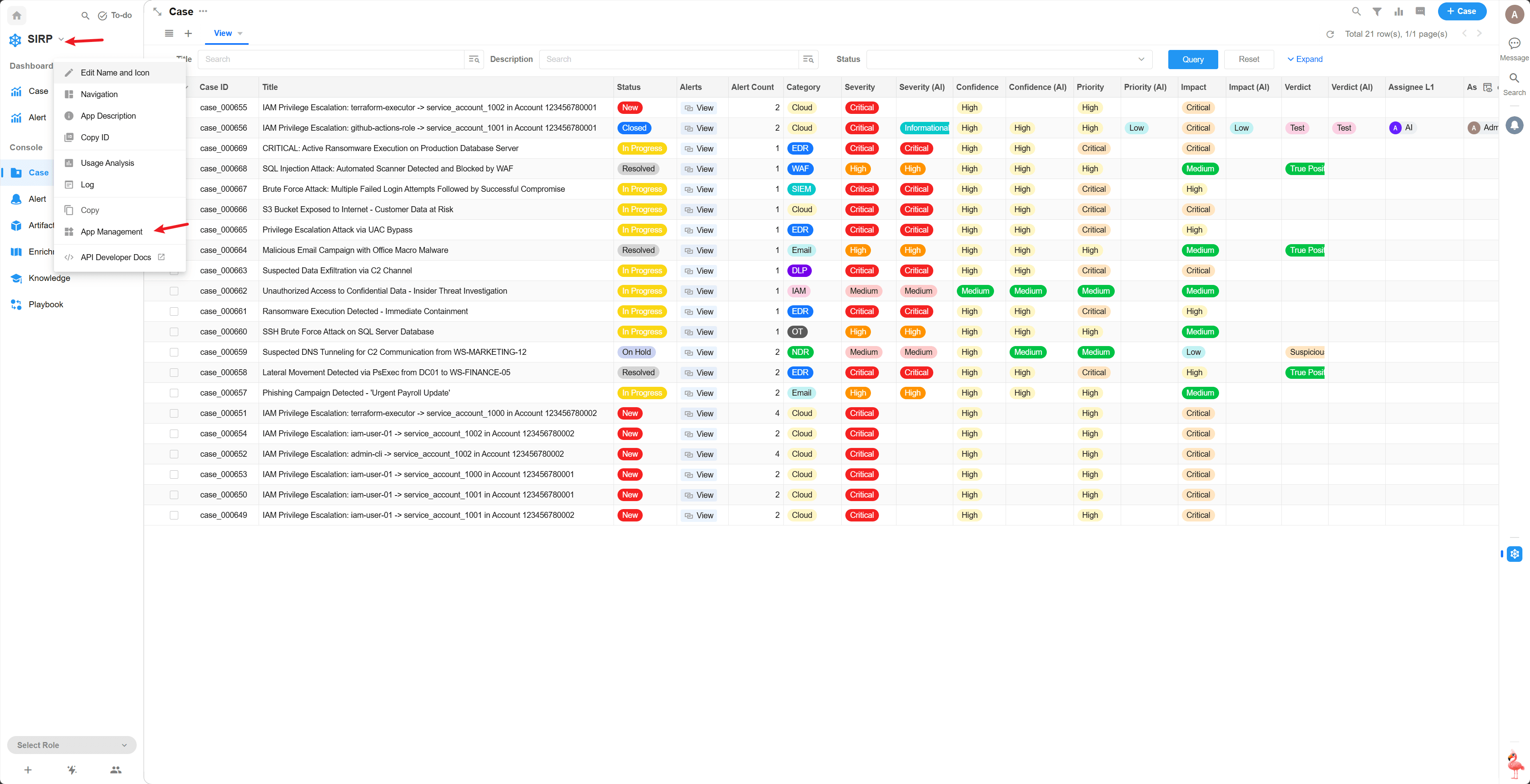
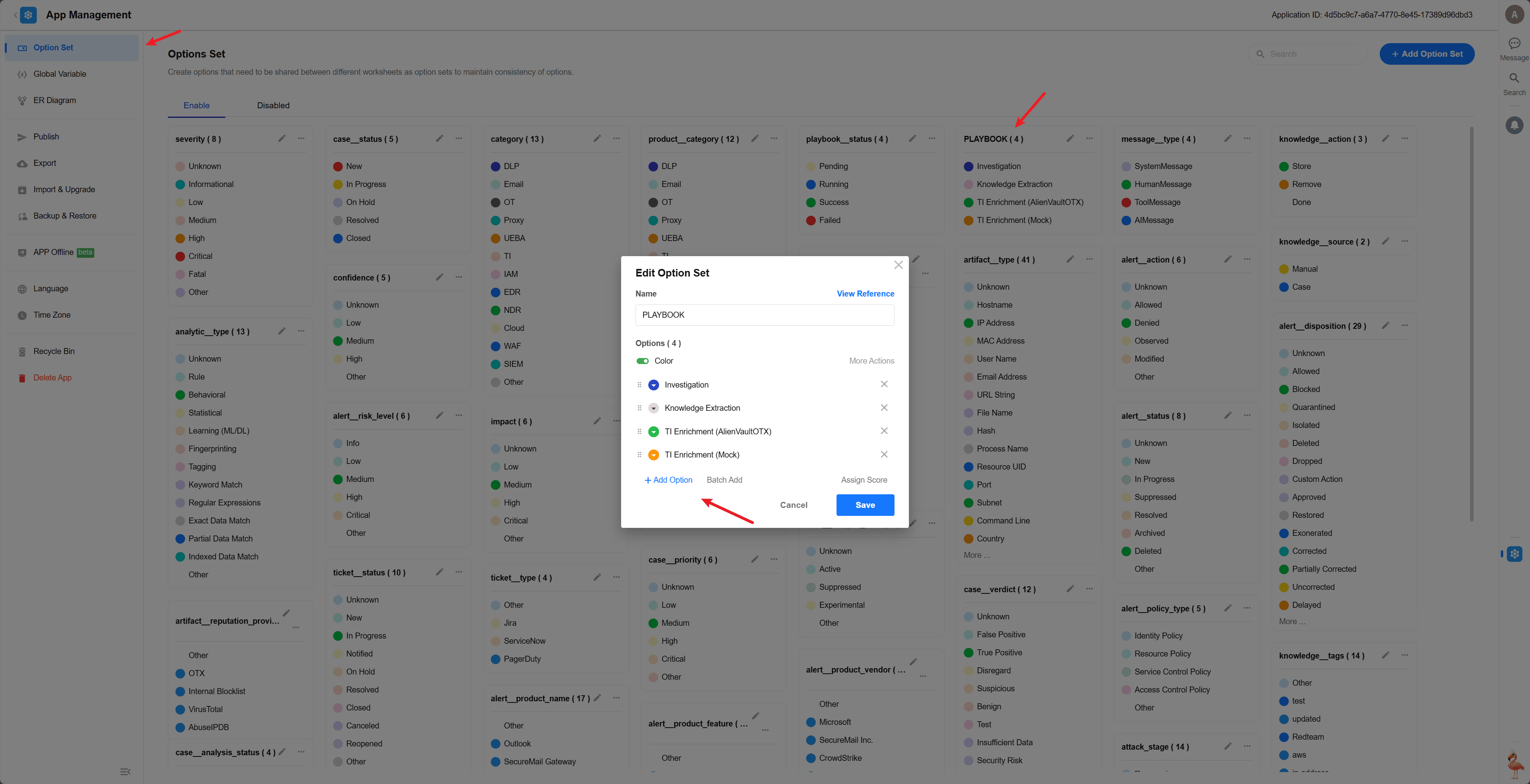
Once registered, click the Playbook button on the Case detail page to select and execute.
Playbook Debugging
Each Playbook file is an independent Playbook class that can be run directly for debugging. Using Investigation as an example:
python
if __name__ == "__main__":
    import os, django
    os.environ.setdefault("DJANGO_SETTINGS_MODULE", "ASP.settings")
    django.setup()
    model = PlaybookModel(source_row_id='your_case_row_id_here')
    module = Playbook()
    module._playbook_model = model
    module.run()
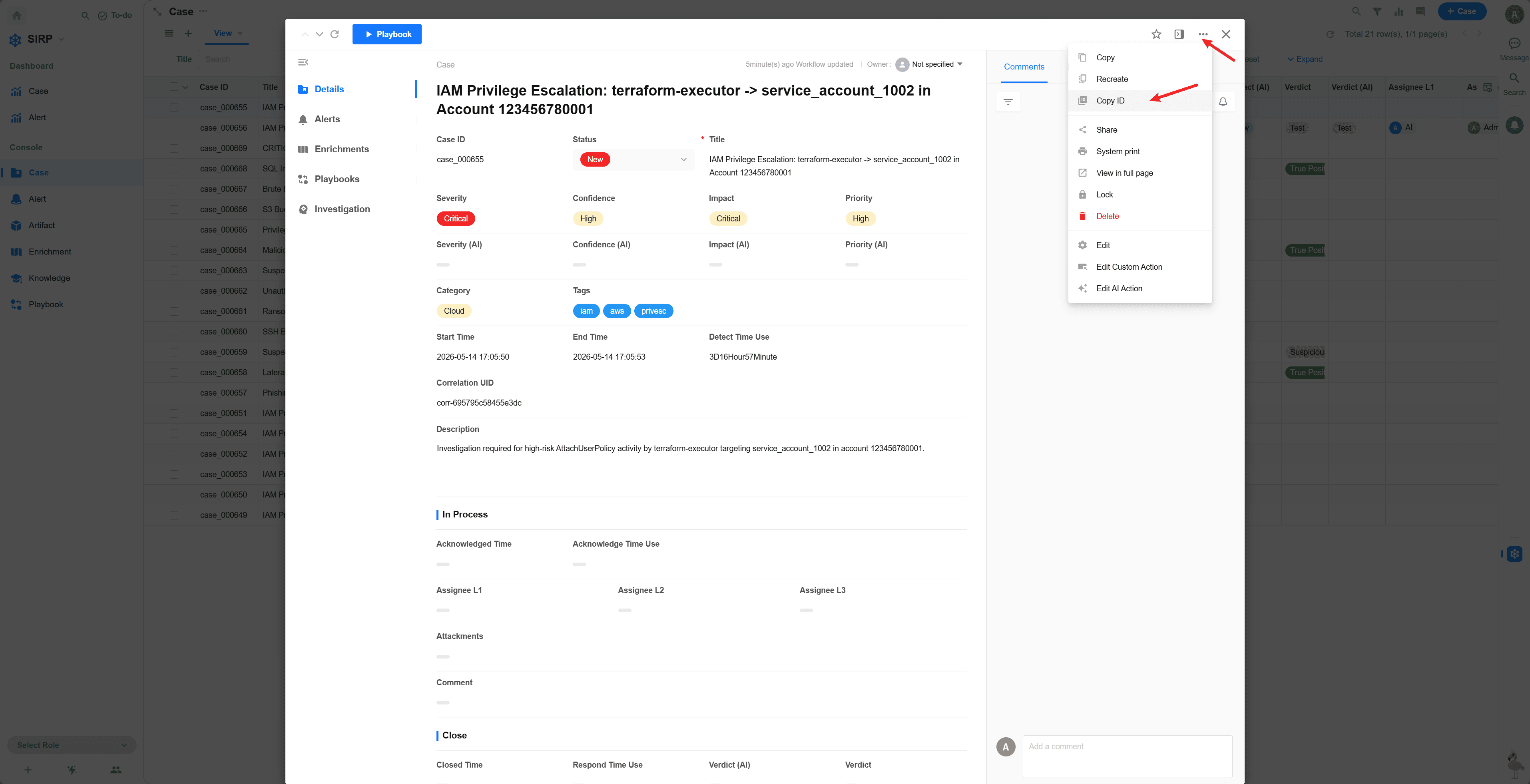
The source_row_id can be obtained from the Case detail page in SIRP: