
ELK Plugin
Features
- Elasticsearch (ELK/Kibana) SIEM client plugin, implemented based on
elasticsearch-py. - Provides structured queries, keyword search, field discovery, aggregation analysis, and more (in conjunction with SIEM Plugin YAML index configuration).
- Using Kibana's index action, alerts generated by rules can be sent to a specified index. The index_action.py script can forward alerts from the index to a Redis Stream message queue for module consumption.
This feature can replace the Forwarder plugin's webhook receiving functionality and is suitable for the ELK community edition.
- Using Kibana's webhook action, alerts generated by rules can be sent to the Forwarder, which then forwards the received alerts to a Redis Stream message queue for module consumption.
Configuration
- Rename
PLUGINS/ELK/CONFIG.example.pytoCONFIG.py - Fill in the configuration items according to the code comments
python
ELK_HOST = "https://10.10.10.10:9200"
ELK_KEY = "X0XXXXXX=="

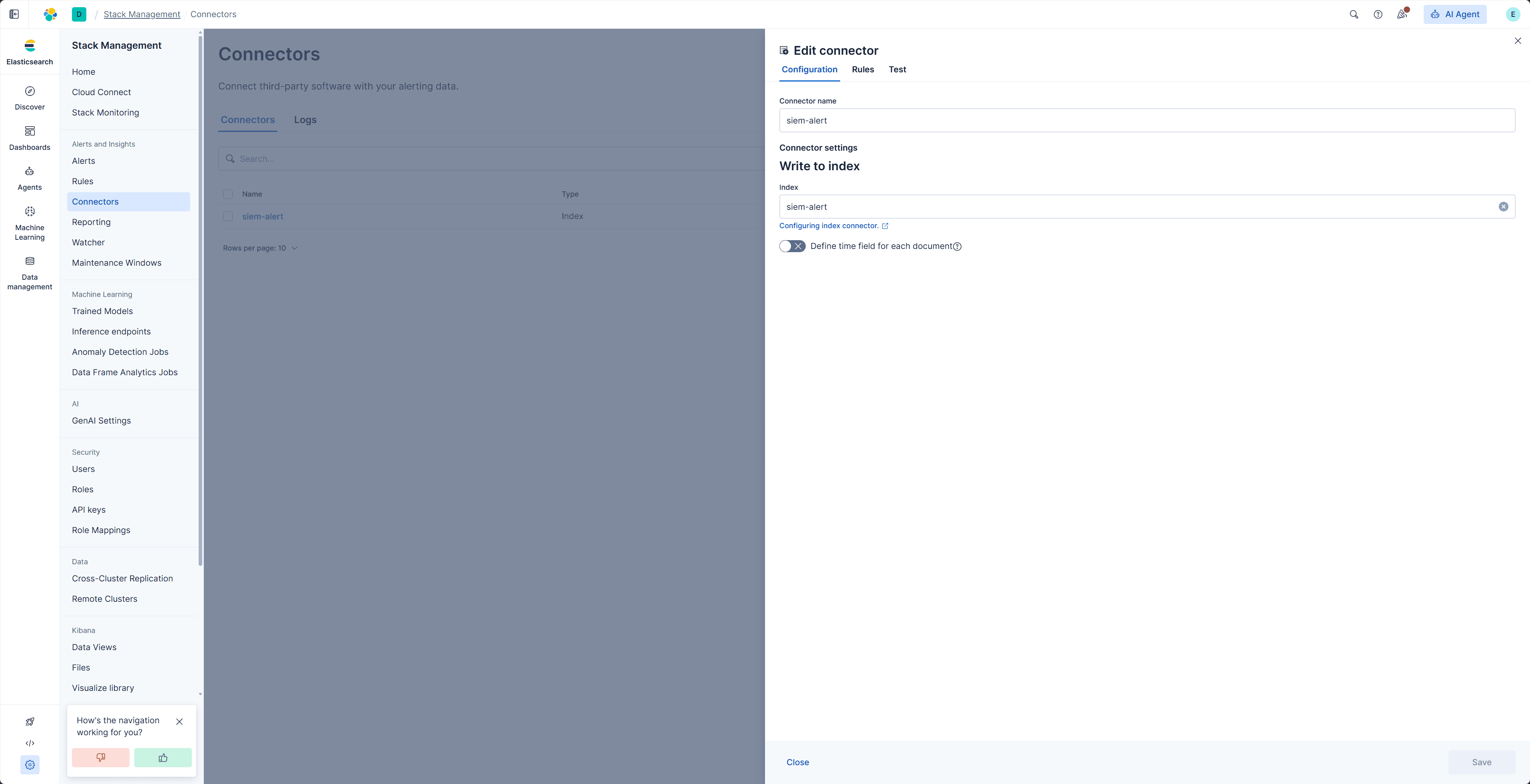
ACTION_INDEX_NAME = "siem-alert"
POLL_INTERVAL_MINUTES = 1| Configuration Item | Description |
|---|---|
| ELK_HOST | Elasticsearch service address |
| ELK_KEY | ELK Personal API key |
| ACTION_INDEX_NAME | Alert index name |
| POLL_INTERVAL_MINUTES | index_action polling interval (minutes) |
Sending Alerts to Redis Stream (index action)
- Configure the Redis Plugin
index_action.py needs to read configuration items from the Redis plugin's CONFIG.py; ensure they are correctly configured
- Create a connector
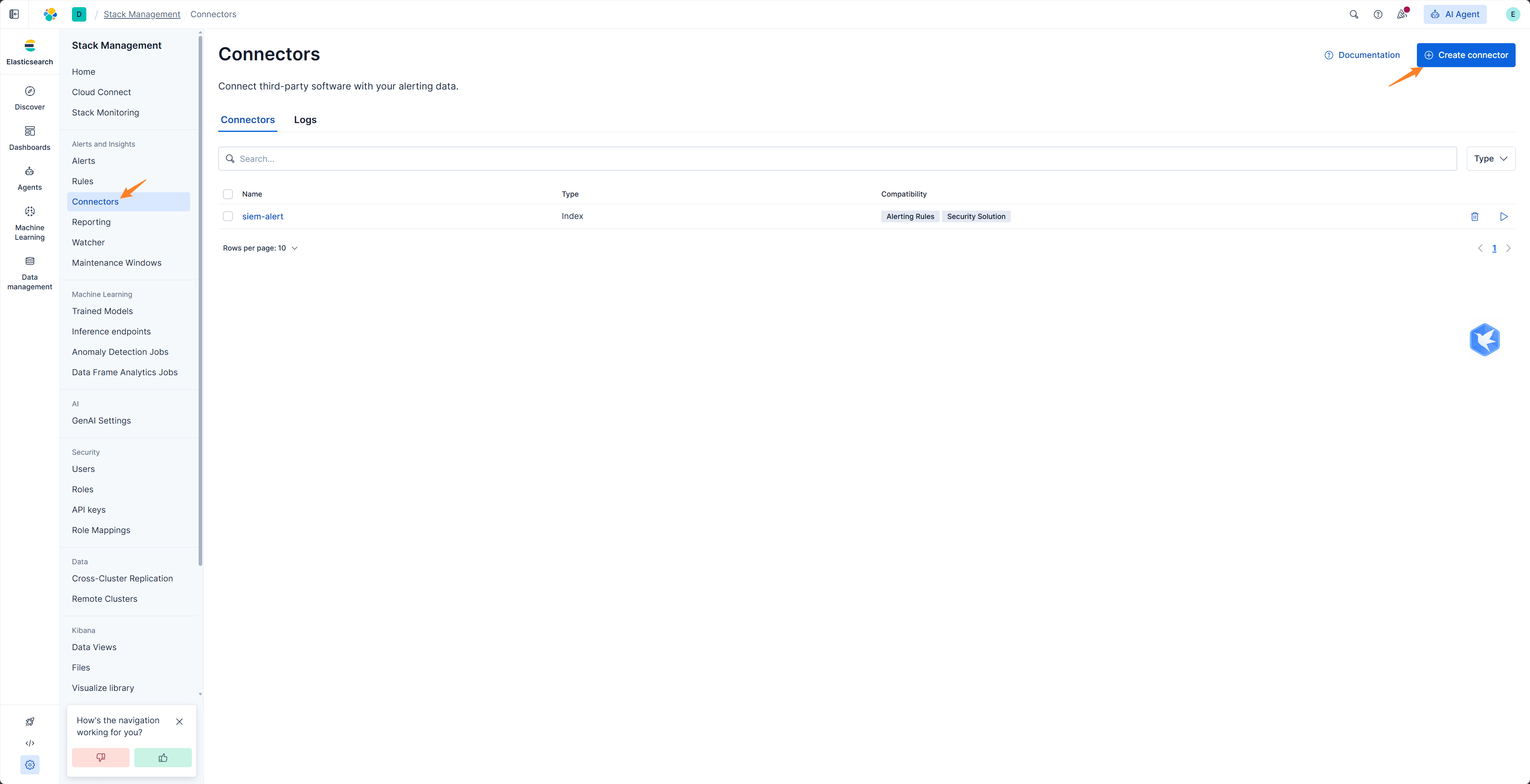
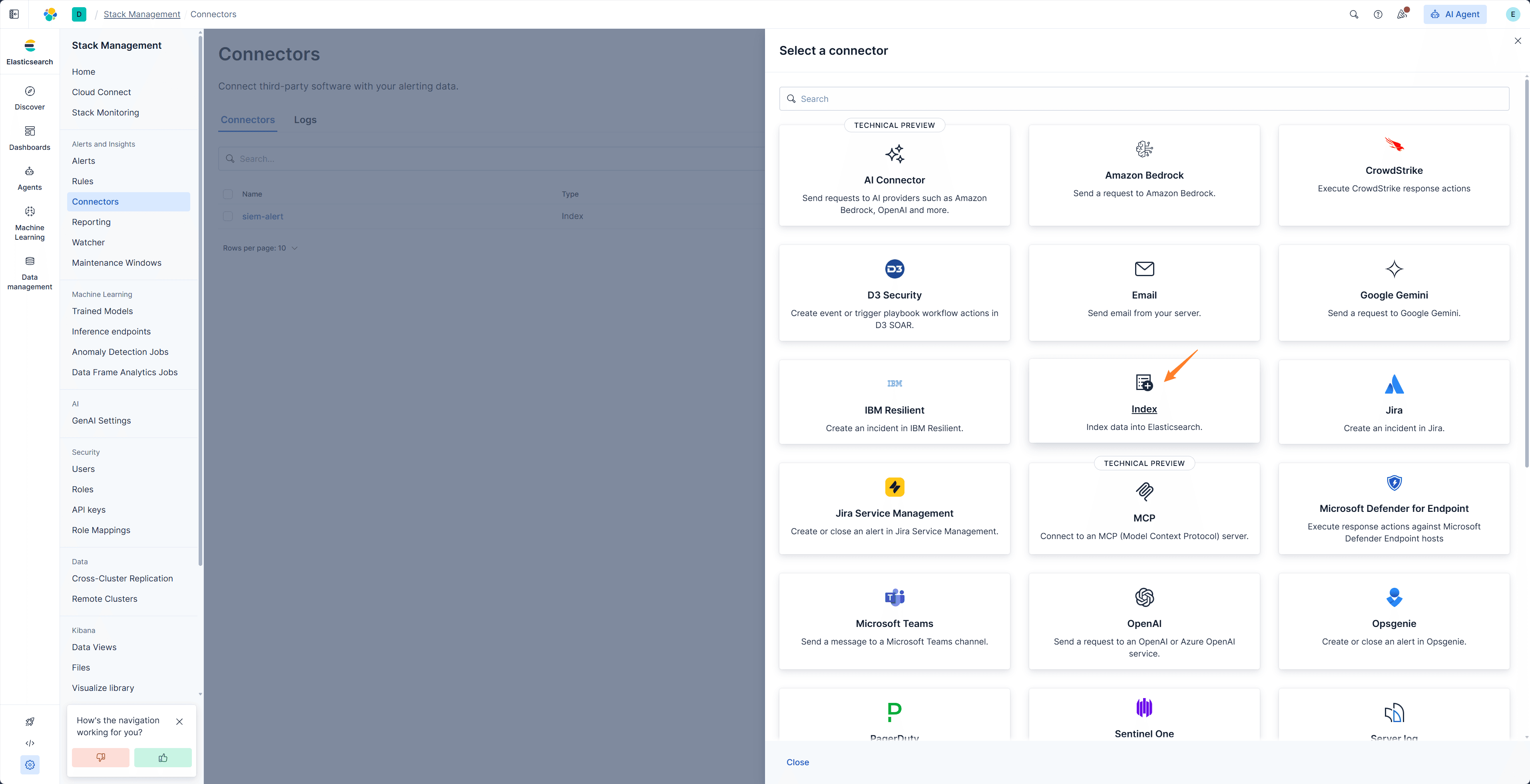
The index can be customized, but must match ACTION_INDEX_NAME in CONFIG.py
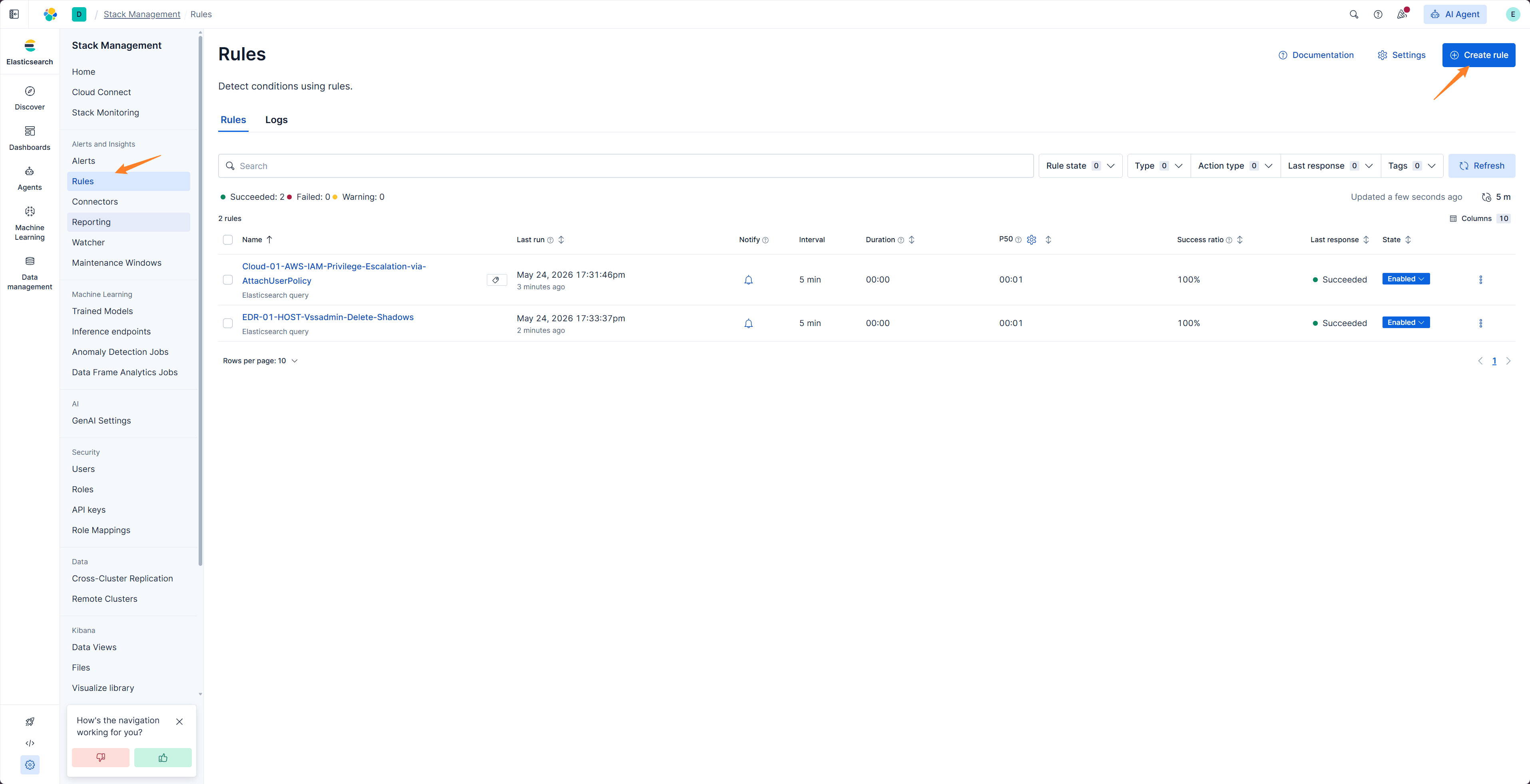
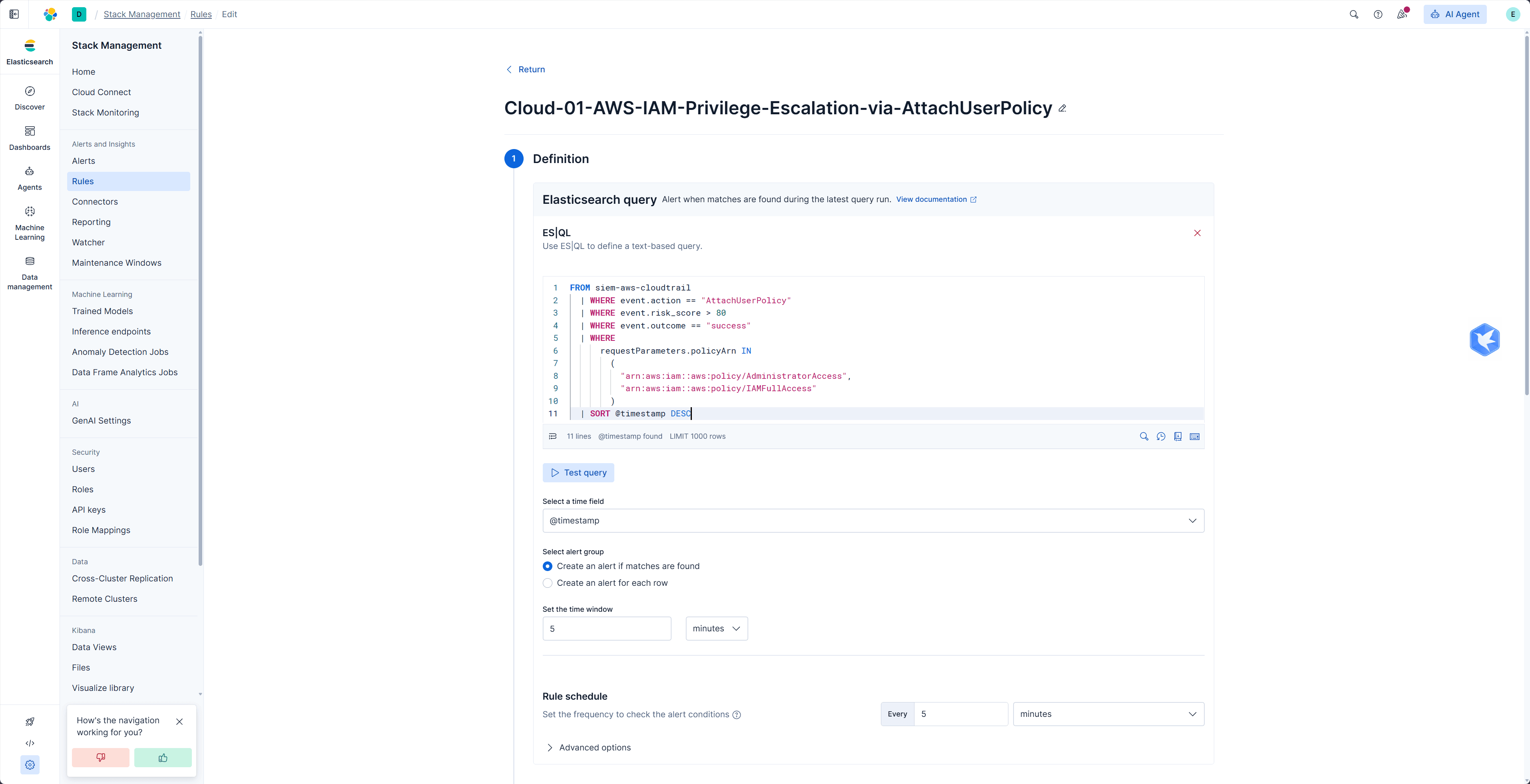
- Create an Alert Rule in Kibana
- Set the Action
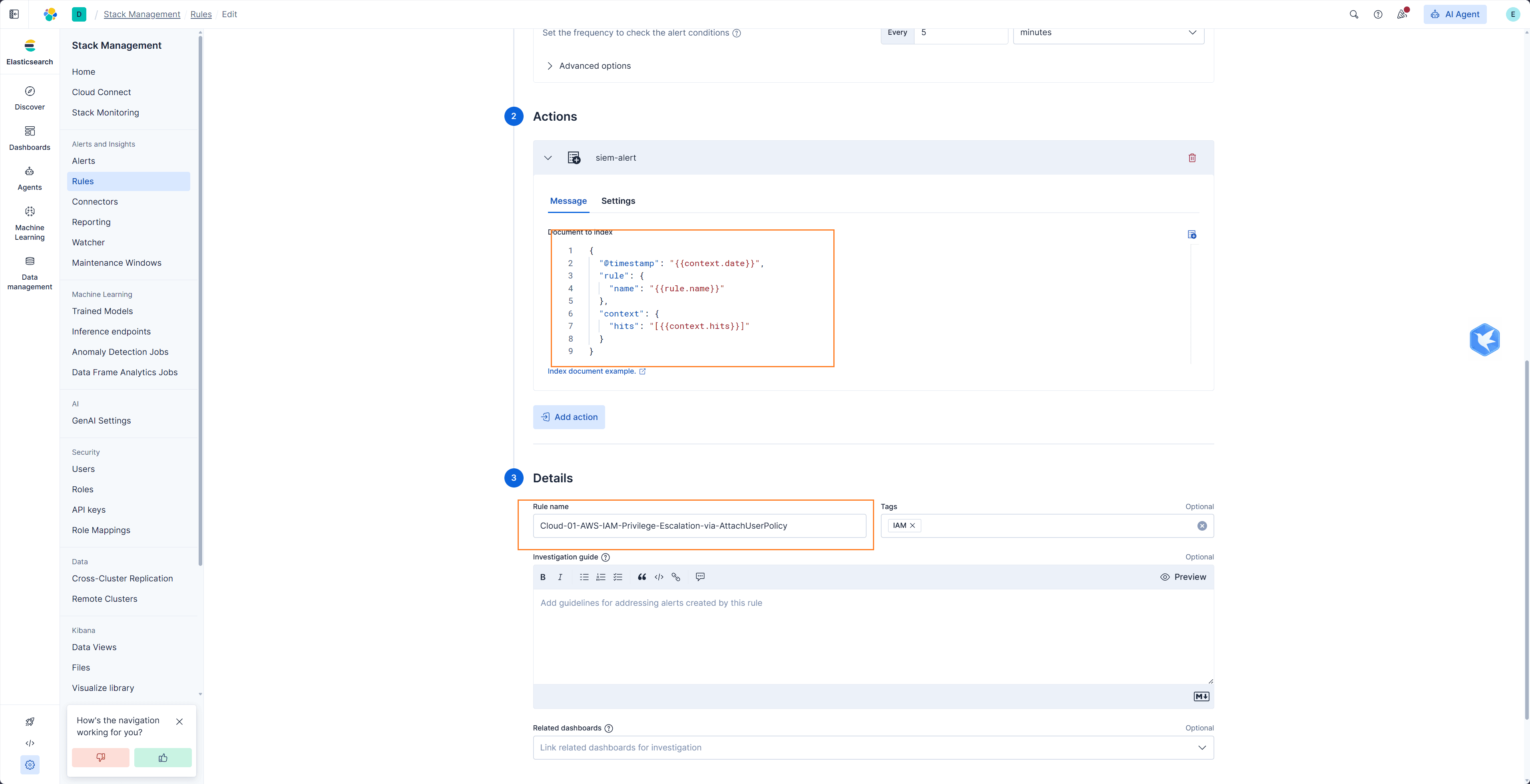
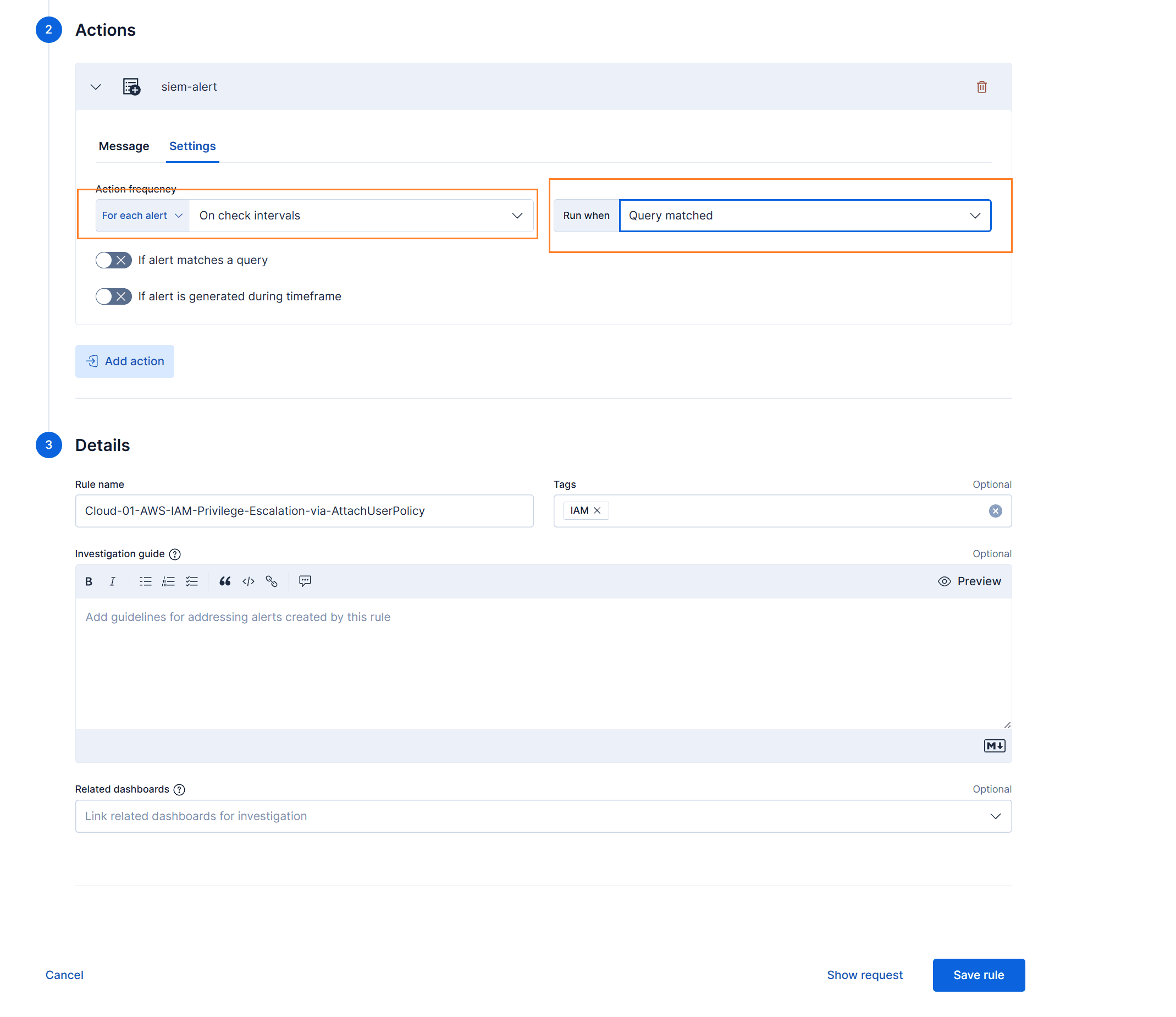
Message code
json
{
  "@timestamp": "{{context.date}}",
  "rule": {
    "name": "{{rule.name}}"
  },
  "context": {
    "hits": "[{{context.hits}}]"
  }
}- After the Rule triggers, new alert documents will appear in the siem_alert index.
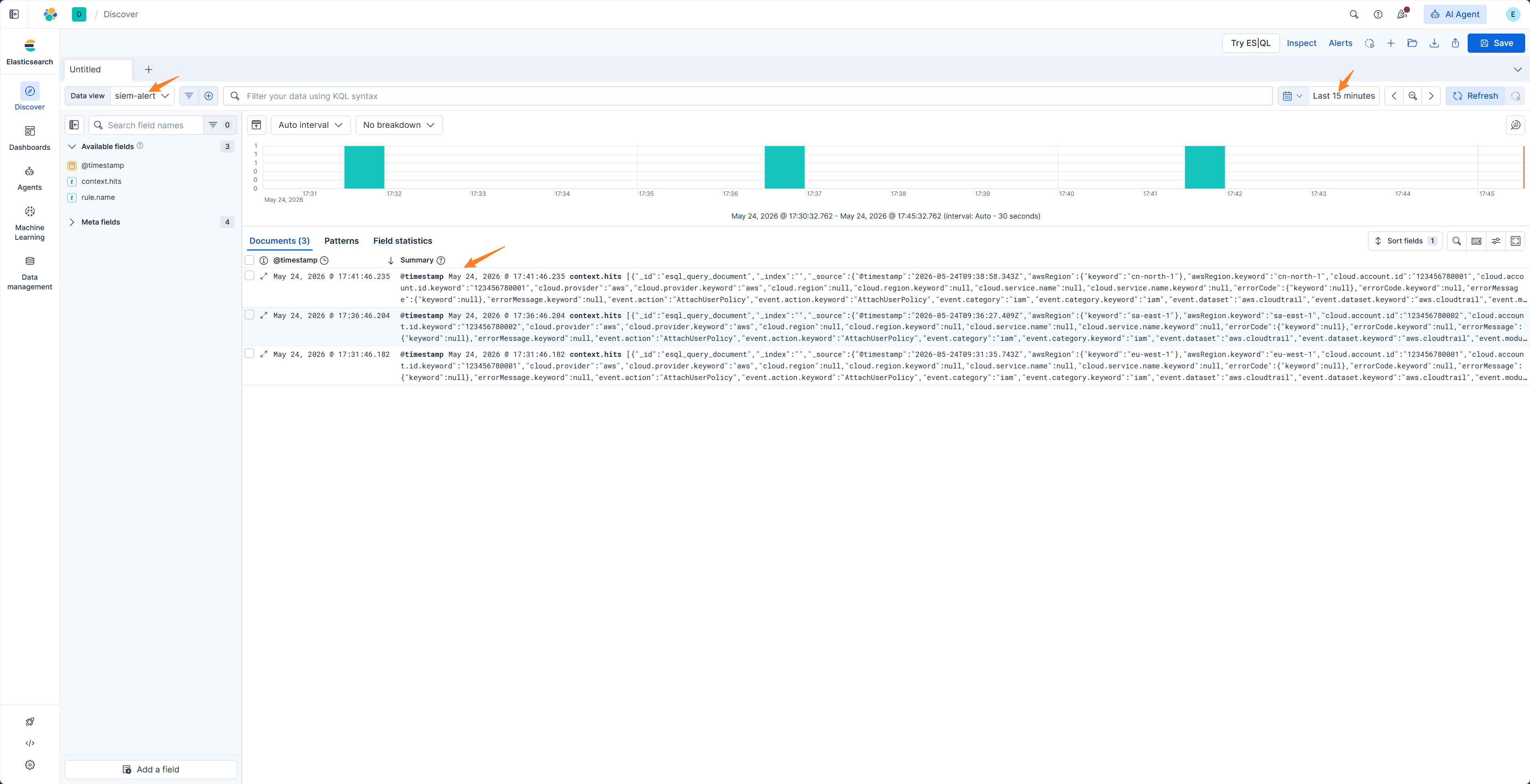
- Install dependencies and run the index_action.py script to forward alerts to the Redis Stream message queue
bash
cd ~/agentic-soc-platform
uv sync
python -m PLUGINS.ELK.index_action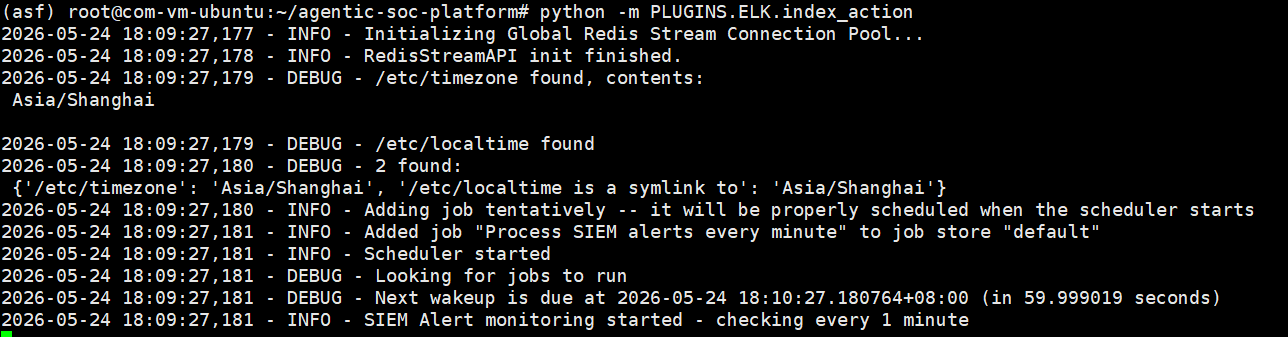
- Log in to Redis Insight to view alerts in the Stream
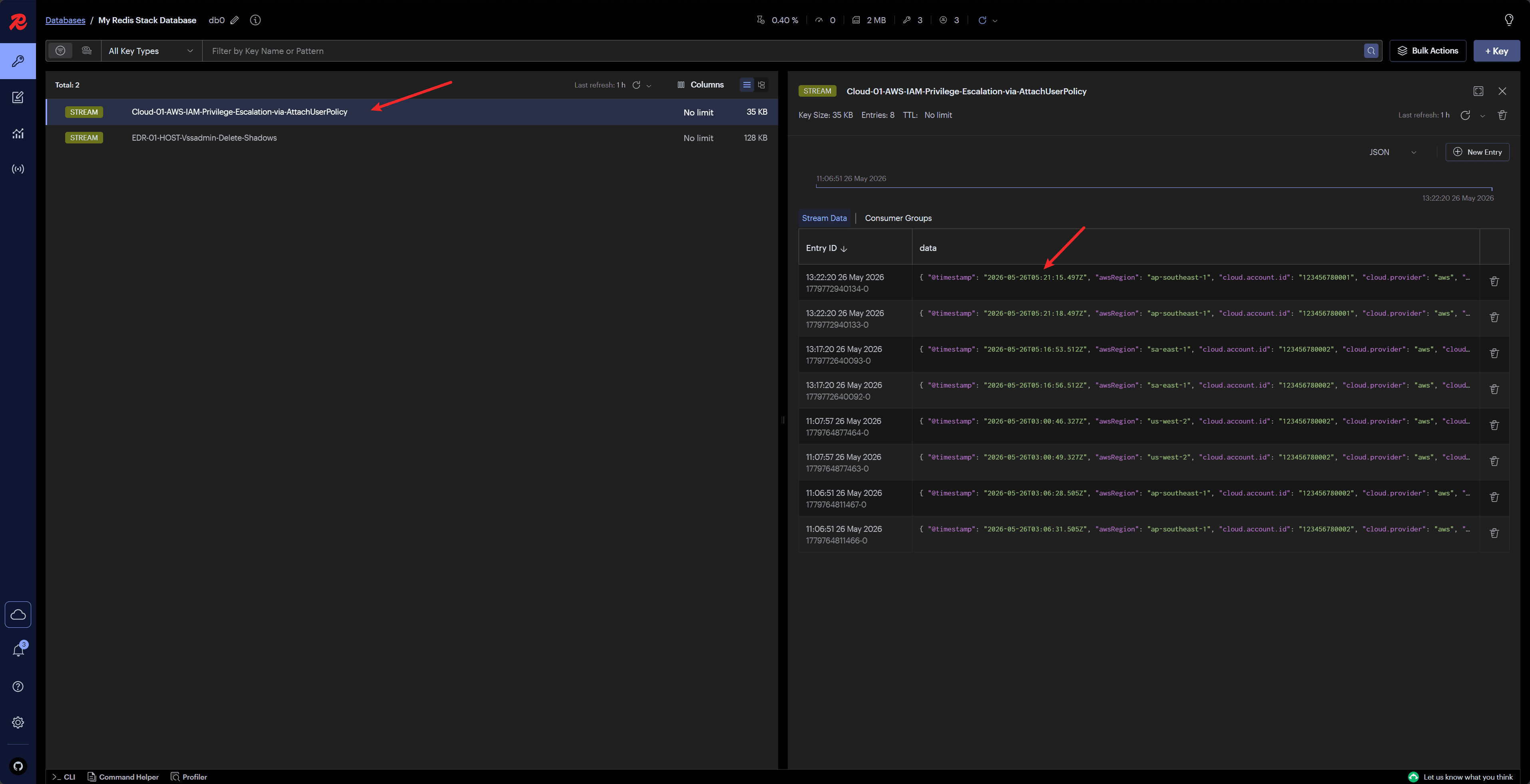
Sending Alerts to Redis Stream (webhook action)
Configure the Forwarder Plugin
Create a connector
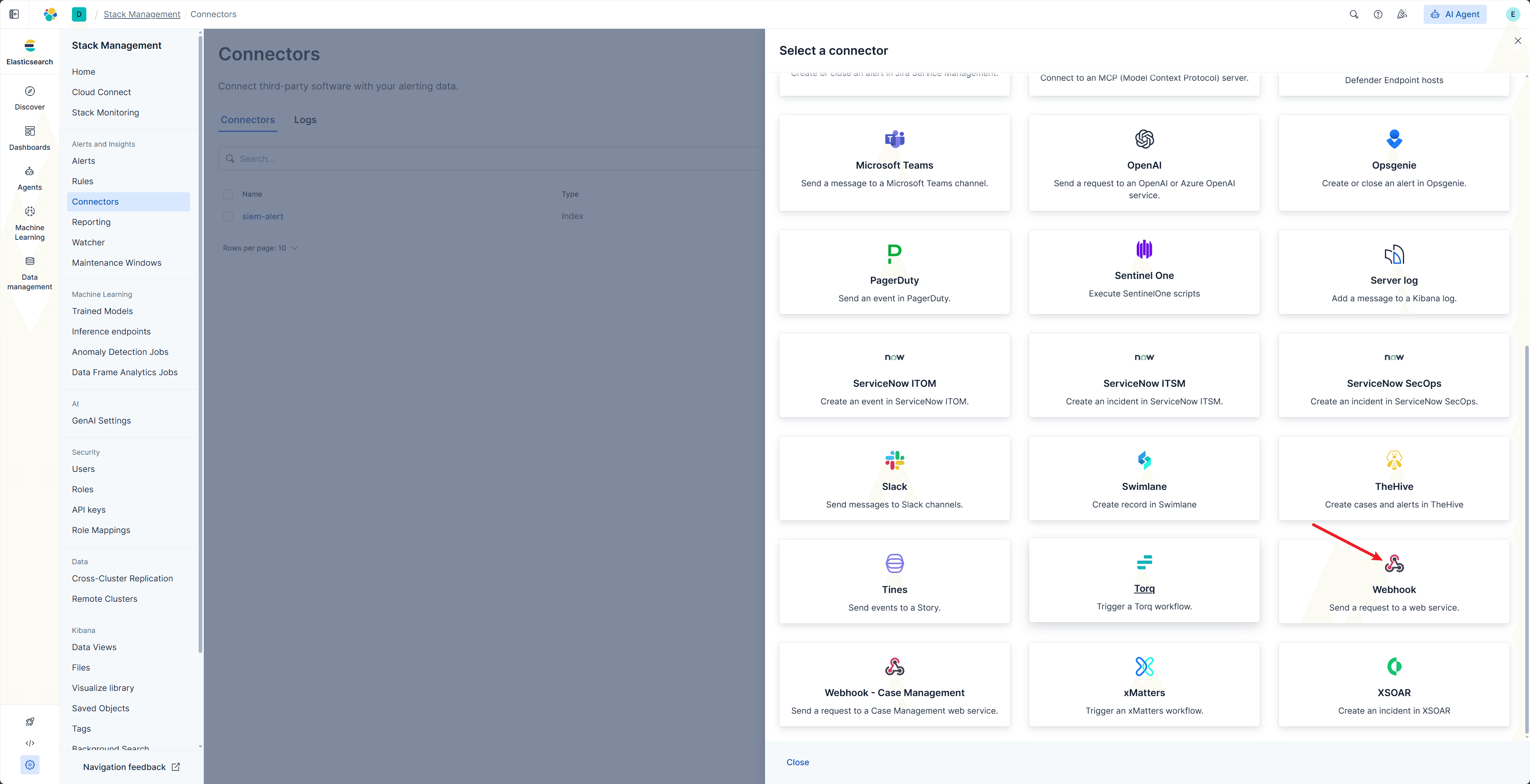
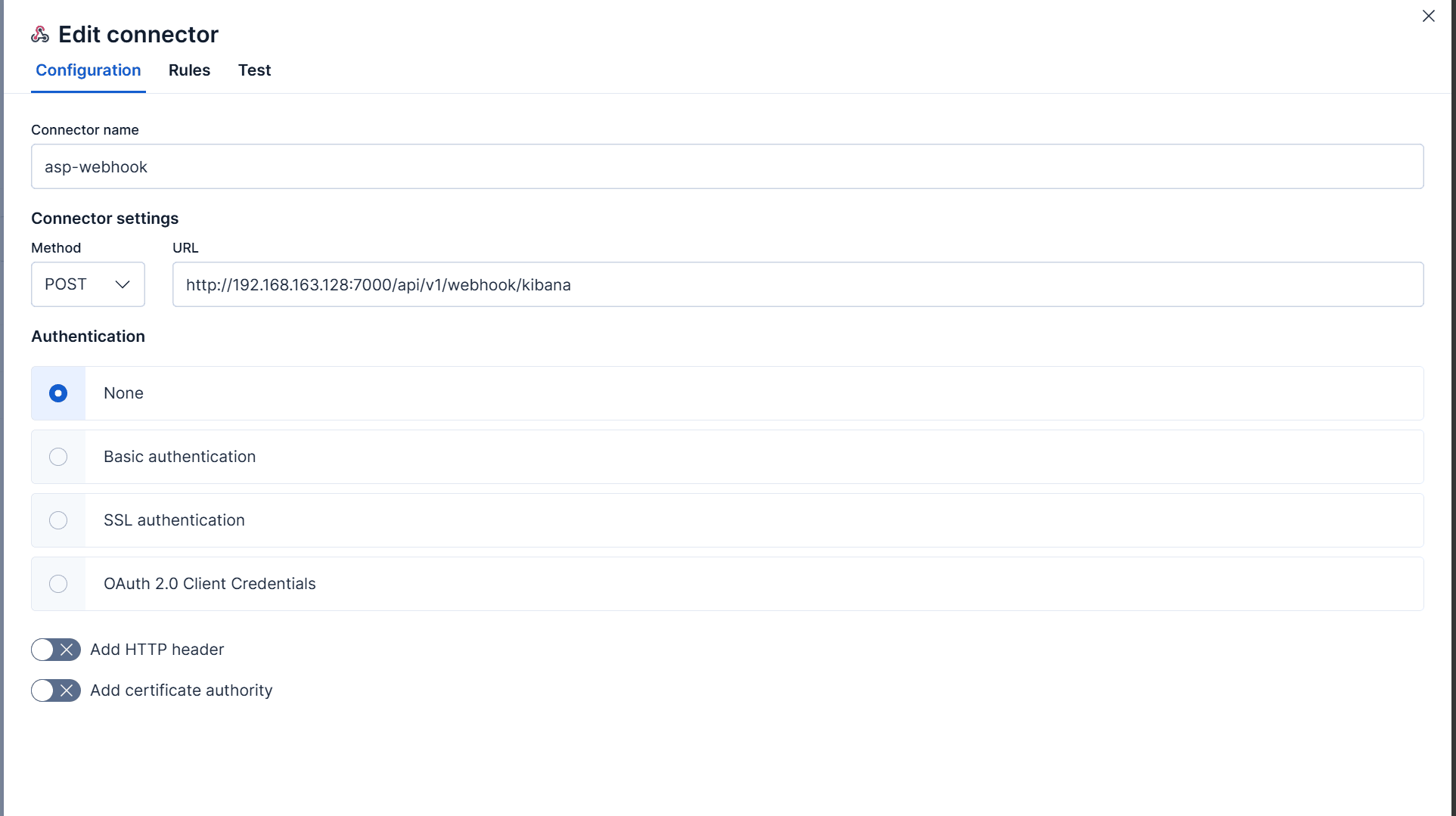
The URL is http://192.168.163.128:7000/api/v1/webhook/kibana; replace the IP and port according to your actual environment
- Create an Alert Rule in Kibana
- Set the Action
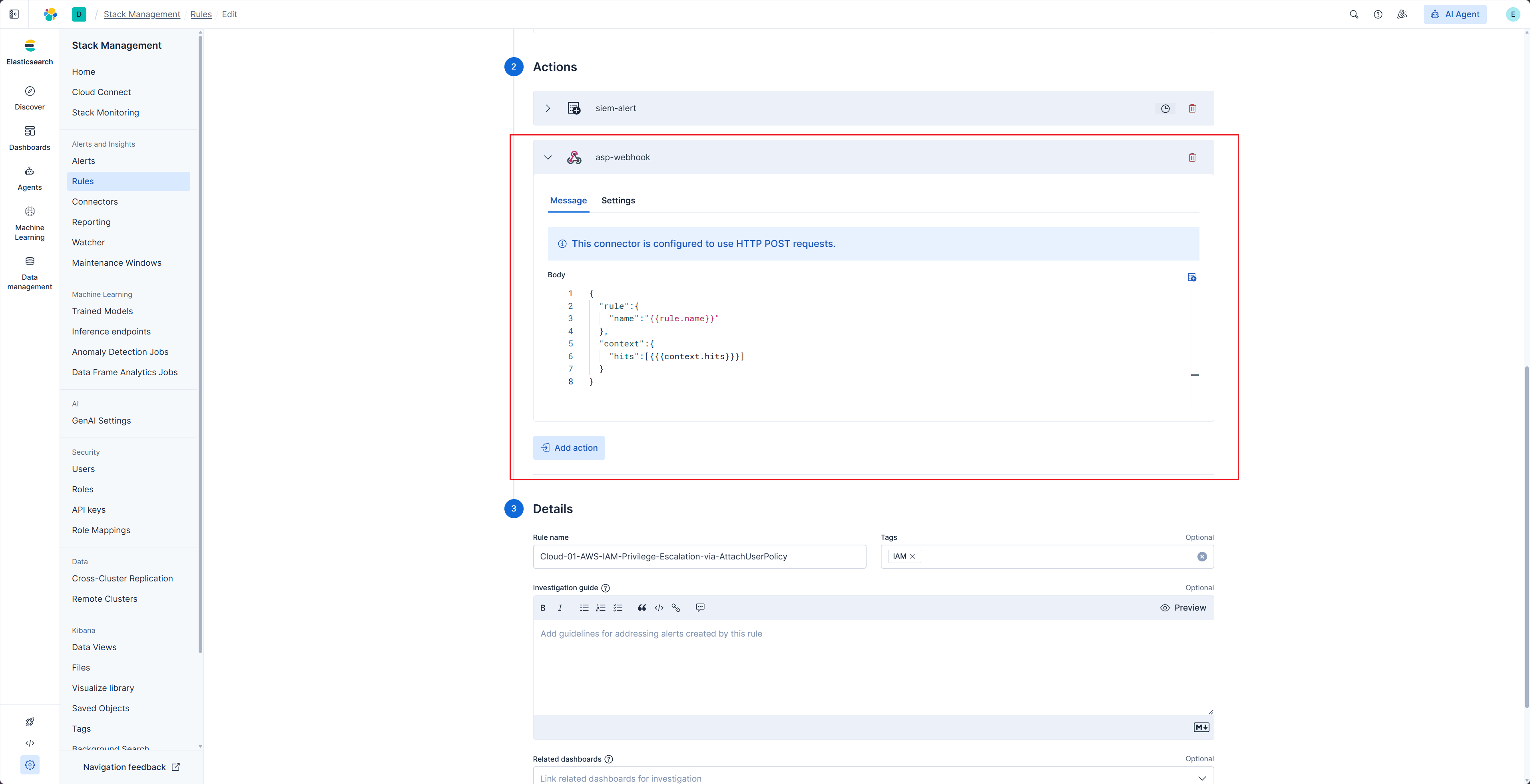
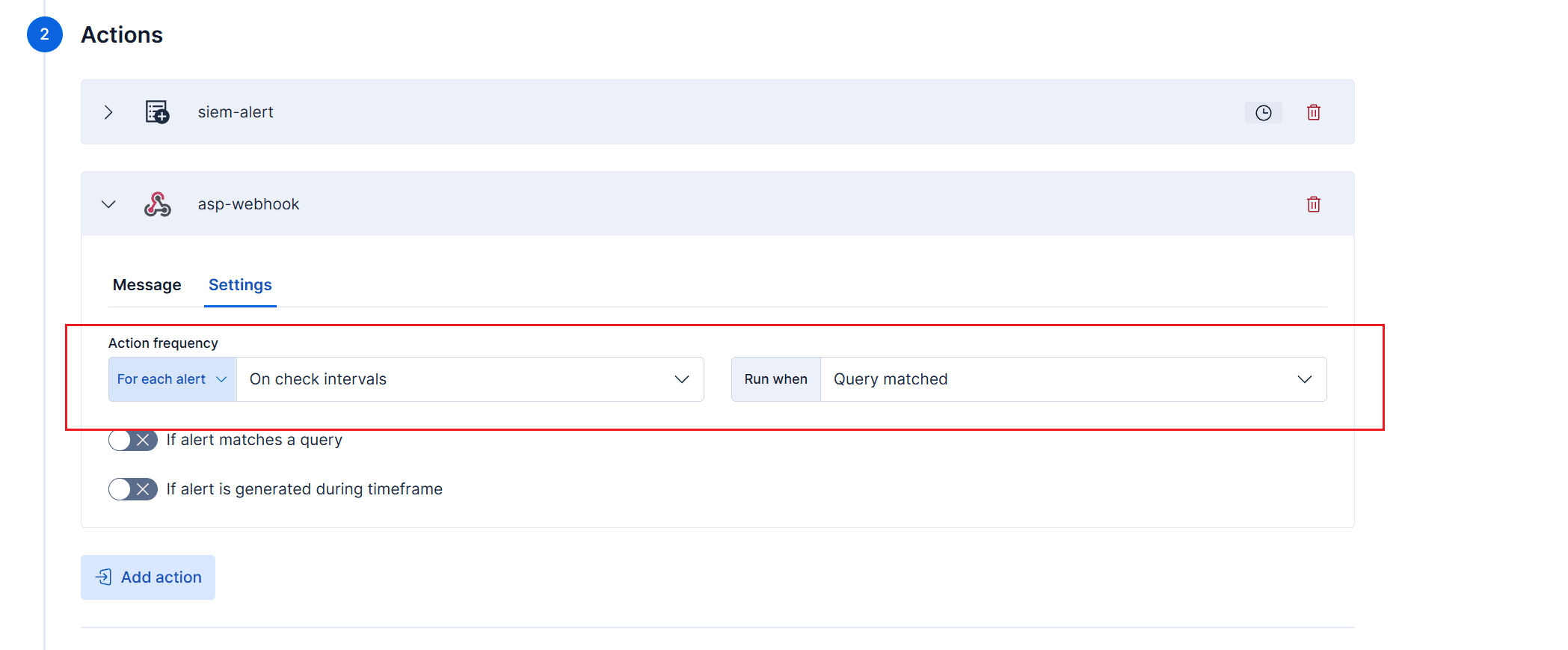
Message code
{
  "rule":{
    "name":"{{rule.name}}"
  },
  "context":{
    "hits":[{{{context.hits}}}]
  }
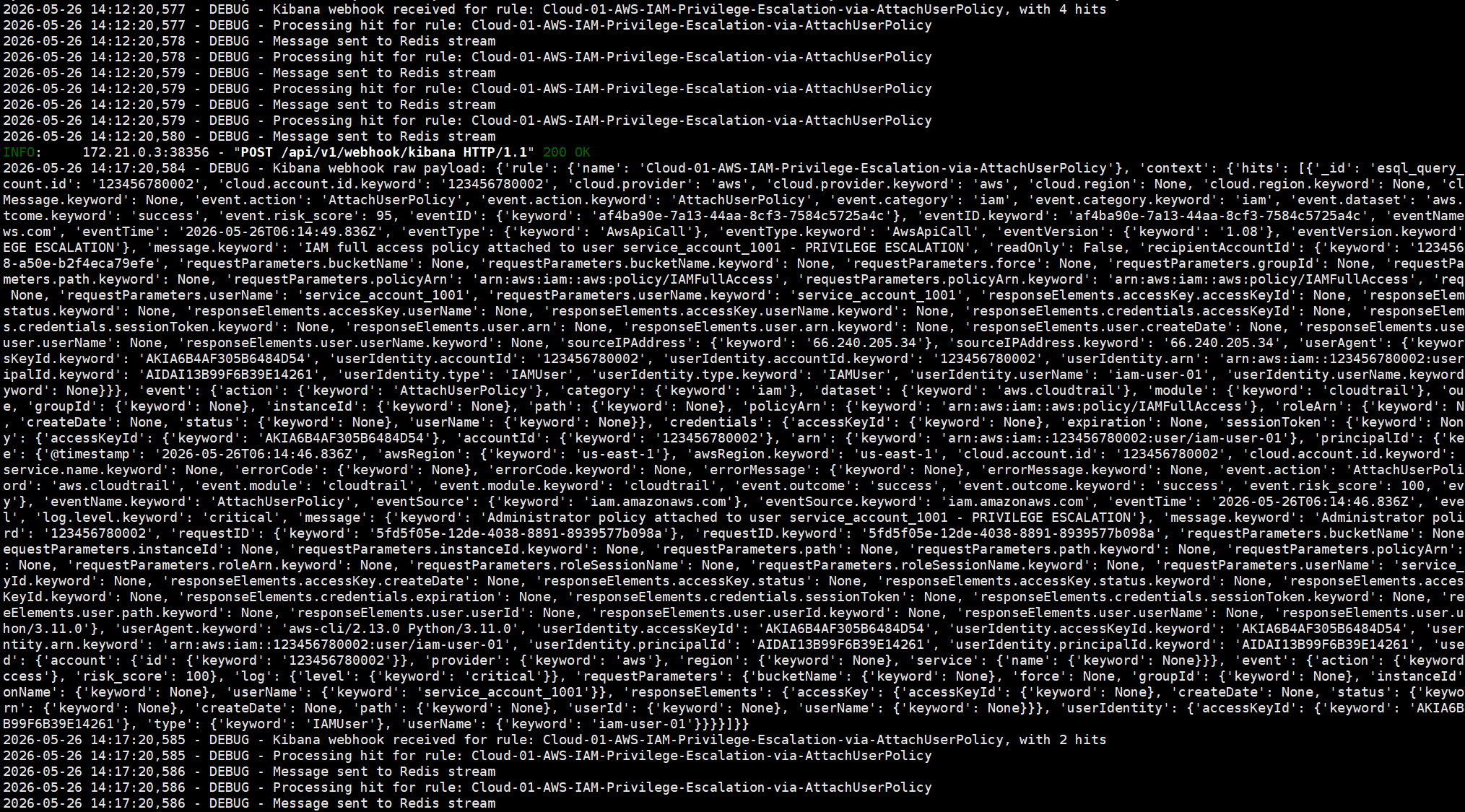
}- After the Rule triggers, corresponding logs will appear in the Forwarder
- Log in to Redis Insight to view alerts in the Stream