
ELK Index Action
ELK Index Action polls alerts from an Elasticsearch index written by Kibana actions. It is useful when Kibana cannot directly POST to ASP Webhook, or when you prefer writing alert actions to Elasticsearch first and letting ASP pull them.
How it works
Kibana Rule
  -> Index Action writes to Elasticsearch index
  -> ASP ELK action worker polls Action Index
  -> Converts to Kibana webhook payload
  -> Writes to Redis Stream
  -> Module processes alert and generates Case / Alert / Artifact
Configuration location
ELK connection, Action Index, polling interval, and read size are configured in SIEM Settings.
This page only explains the ingestion flow, Kibana action content, and worker execution.
Create Index Connector
Create an Index Connector in Kibana to write actions to a specific Elasticsearch index.
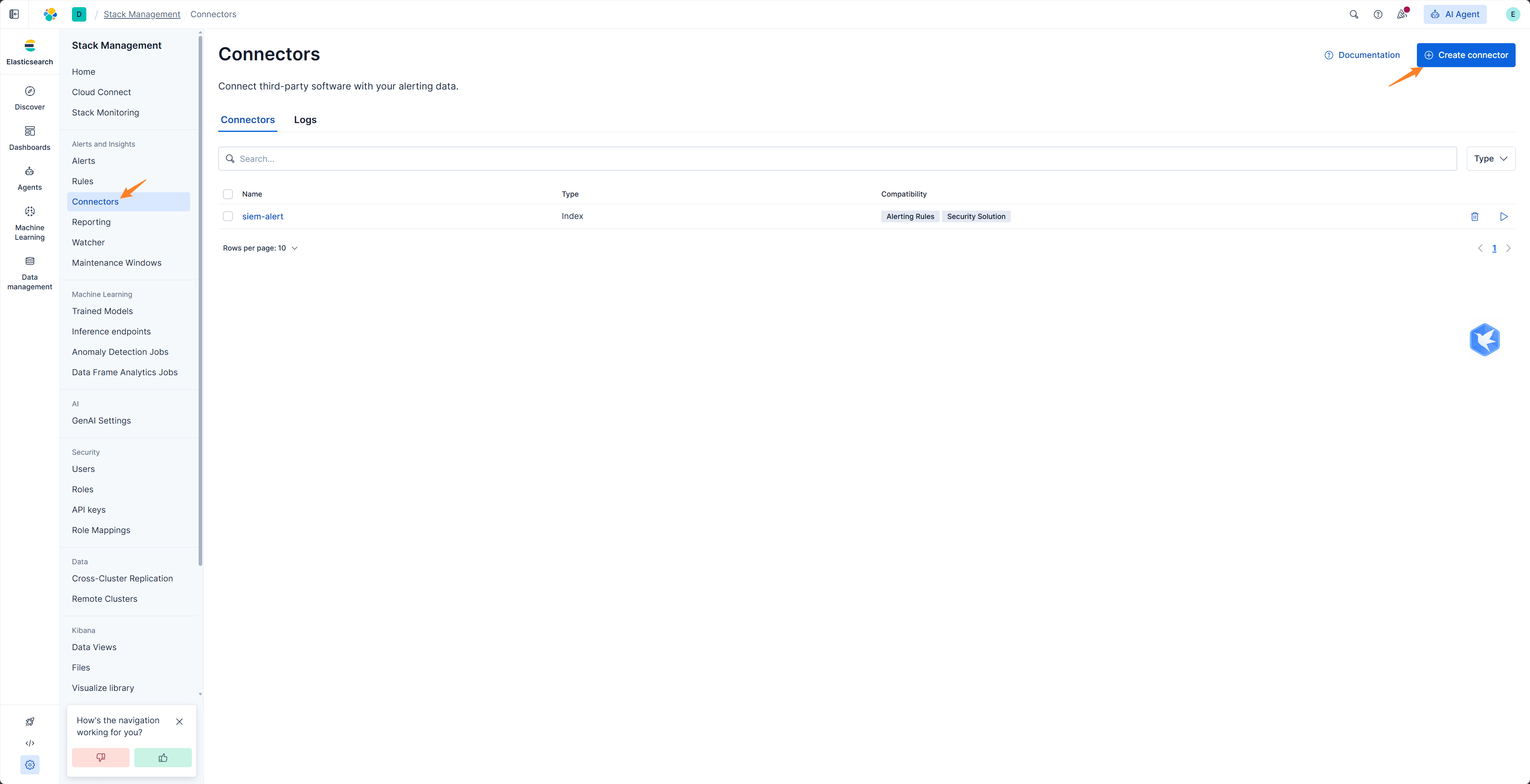
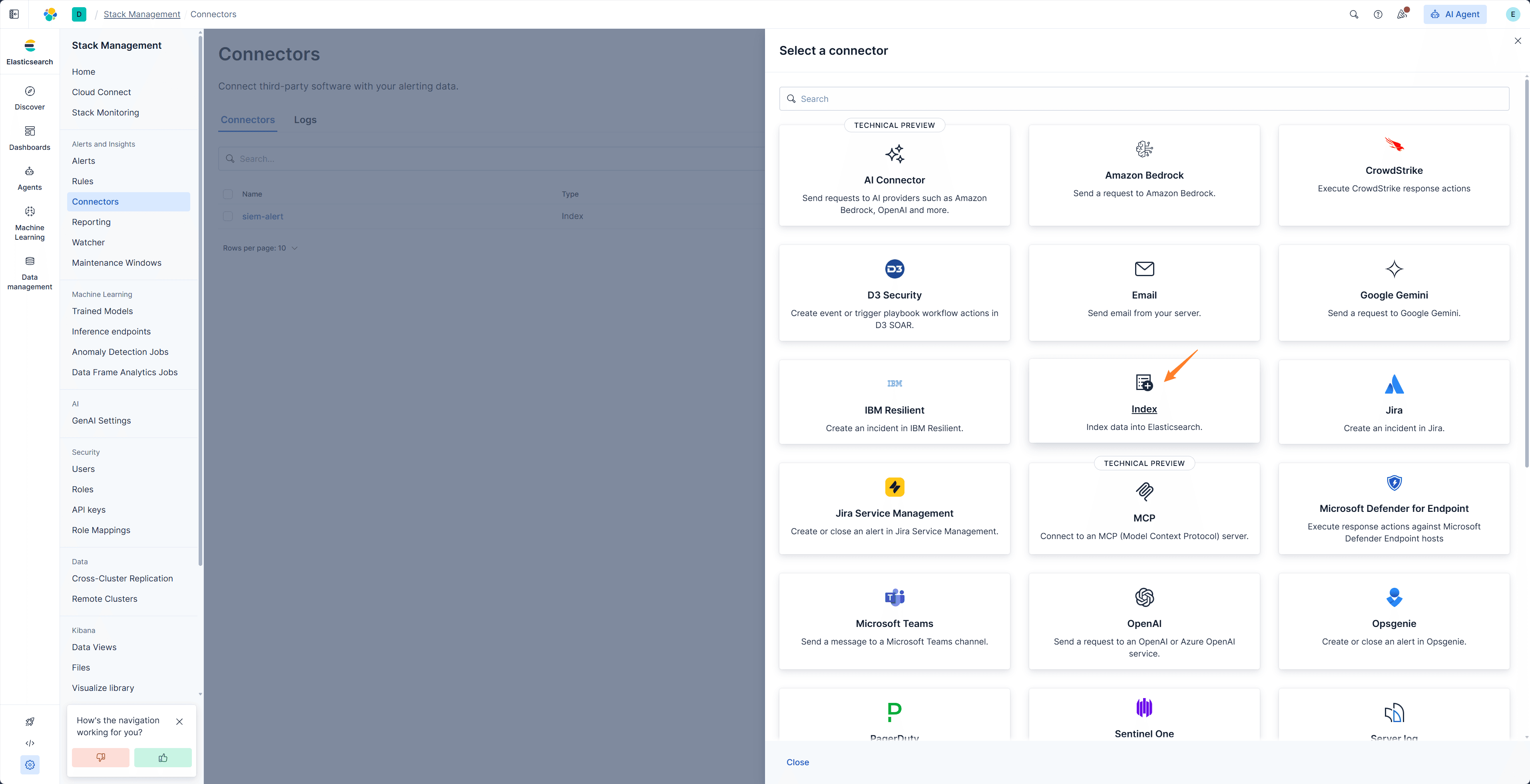
The index name is configurable, but it must match the Action Index in SIEM settings.
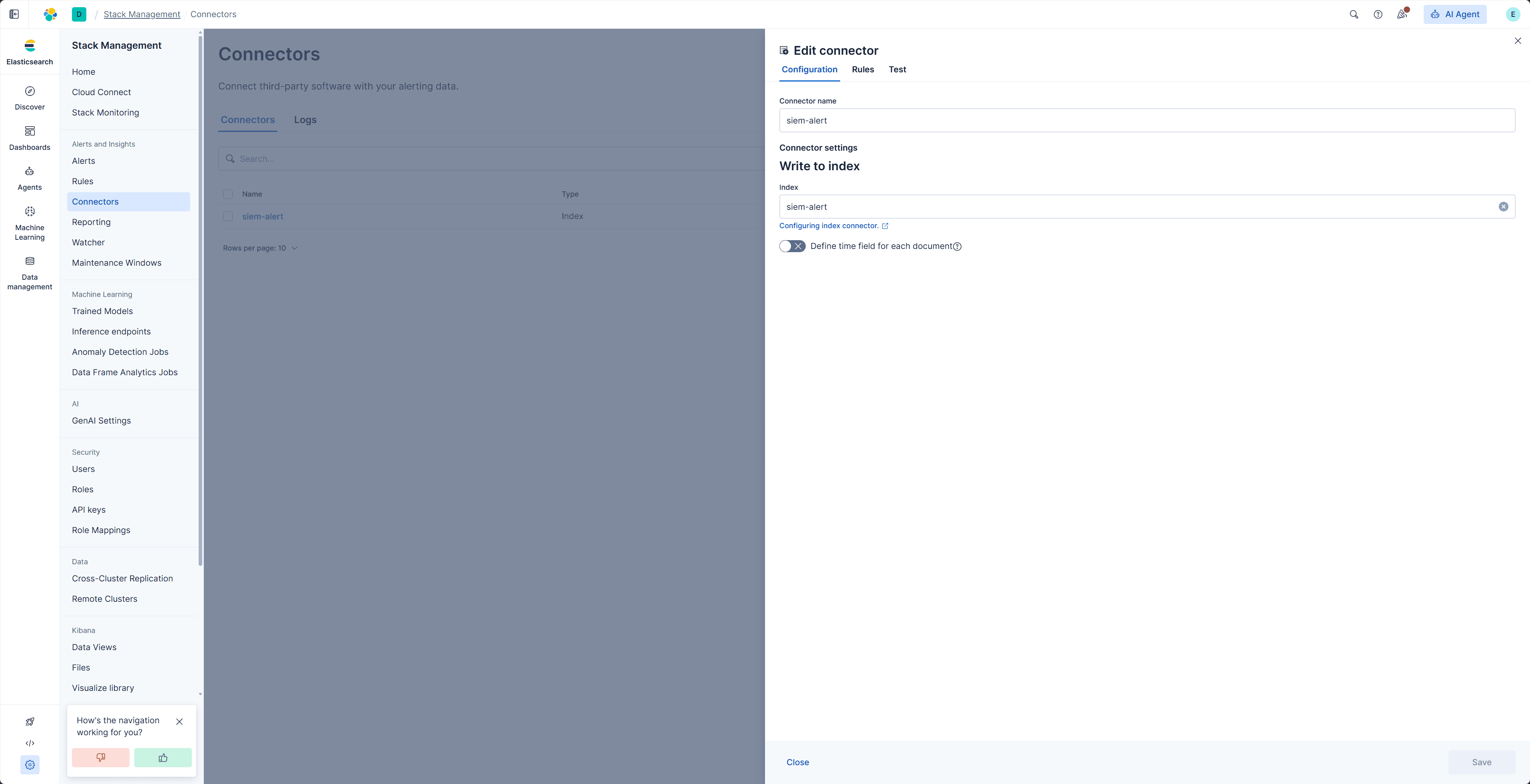
Kibana Action content
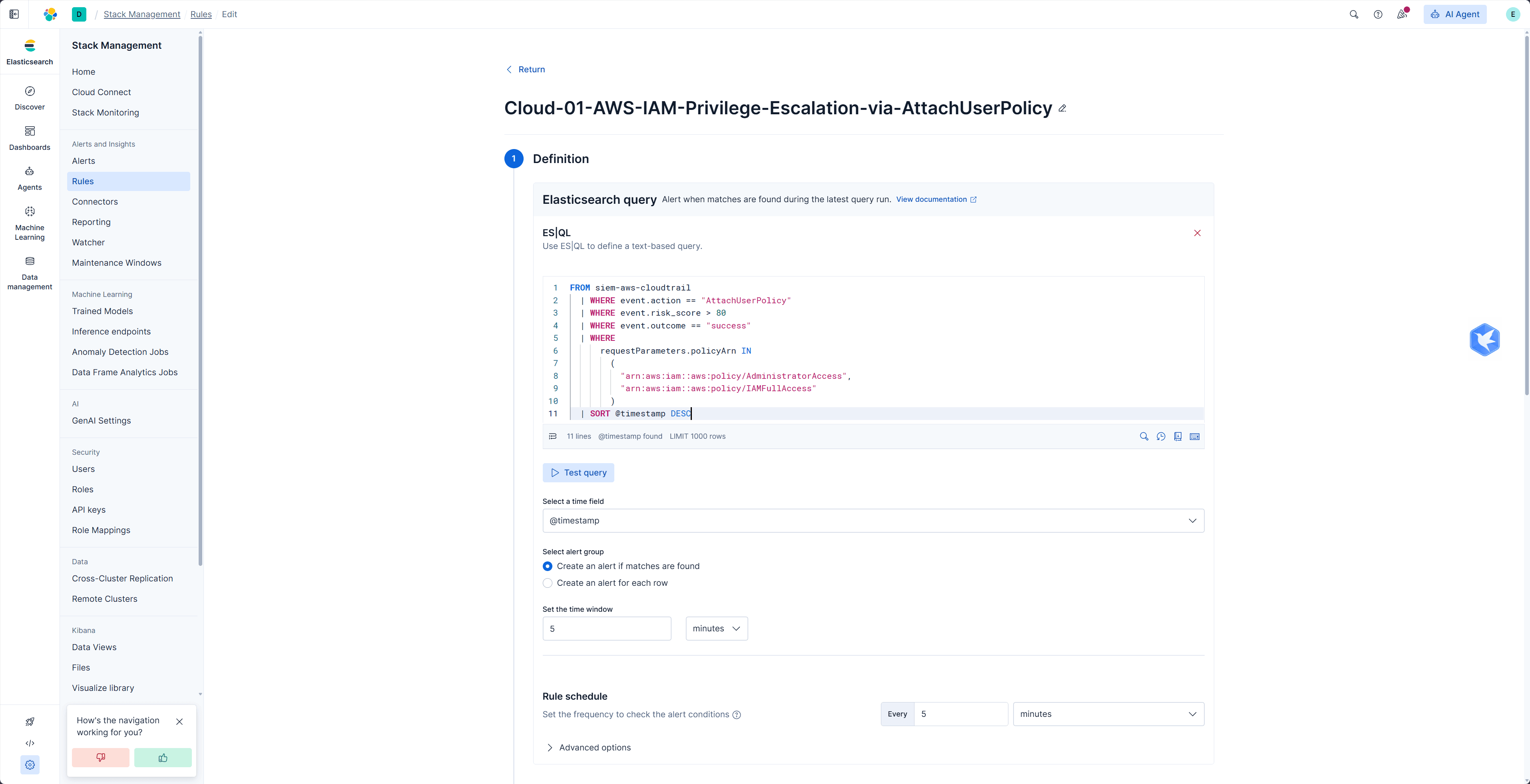
Create a Kibana Alert Rule and configure query conditions, execution schedule, and trigger conditions.
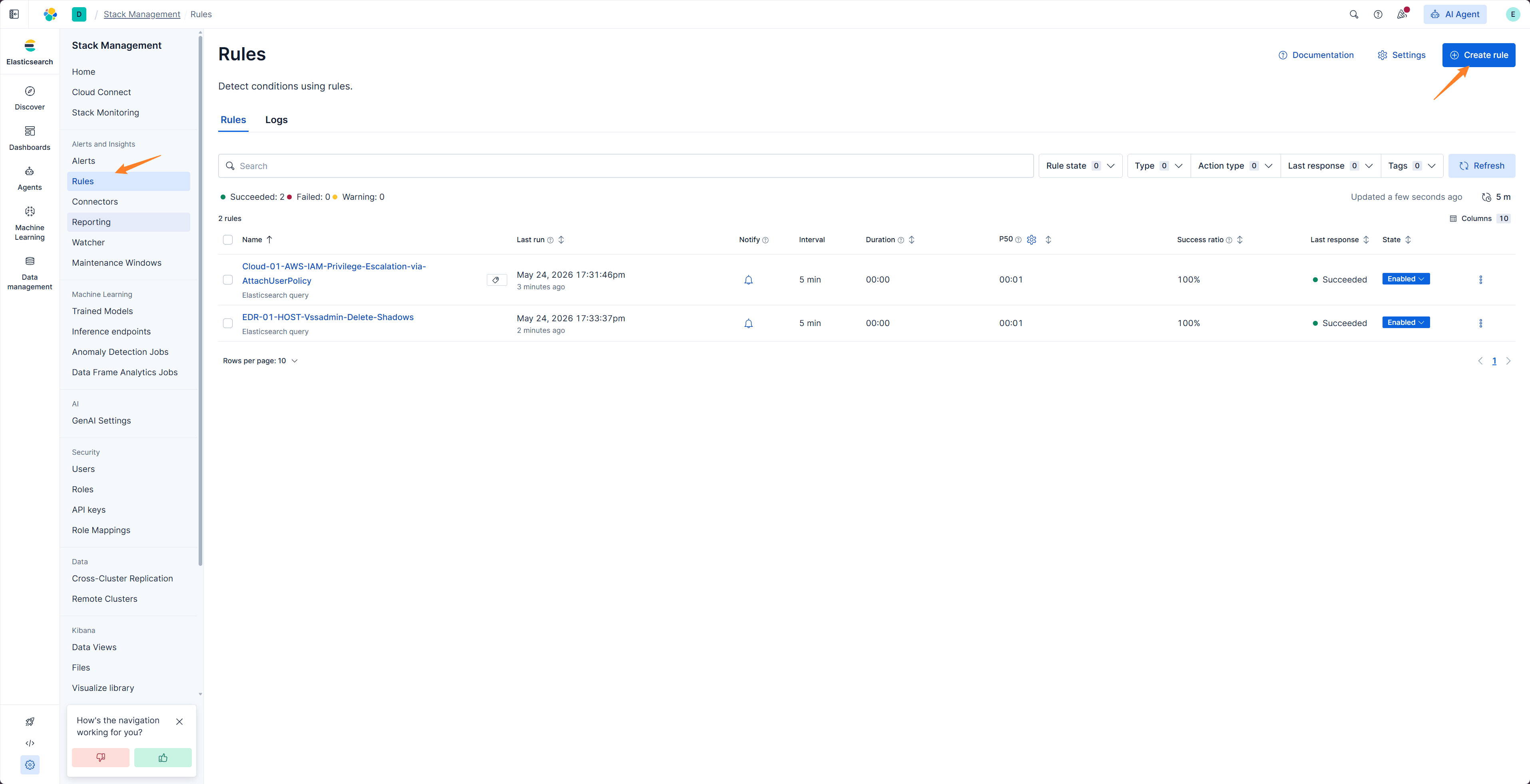
Add an Index Action to the Rule and use the connector created earlier.
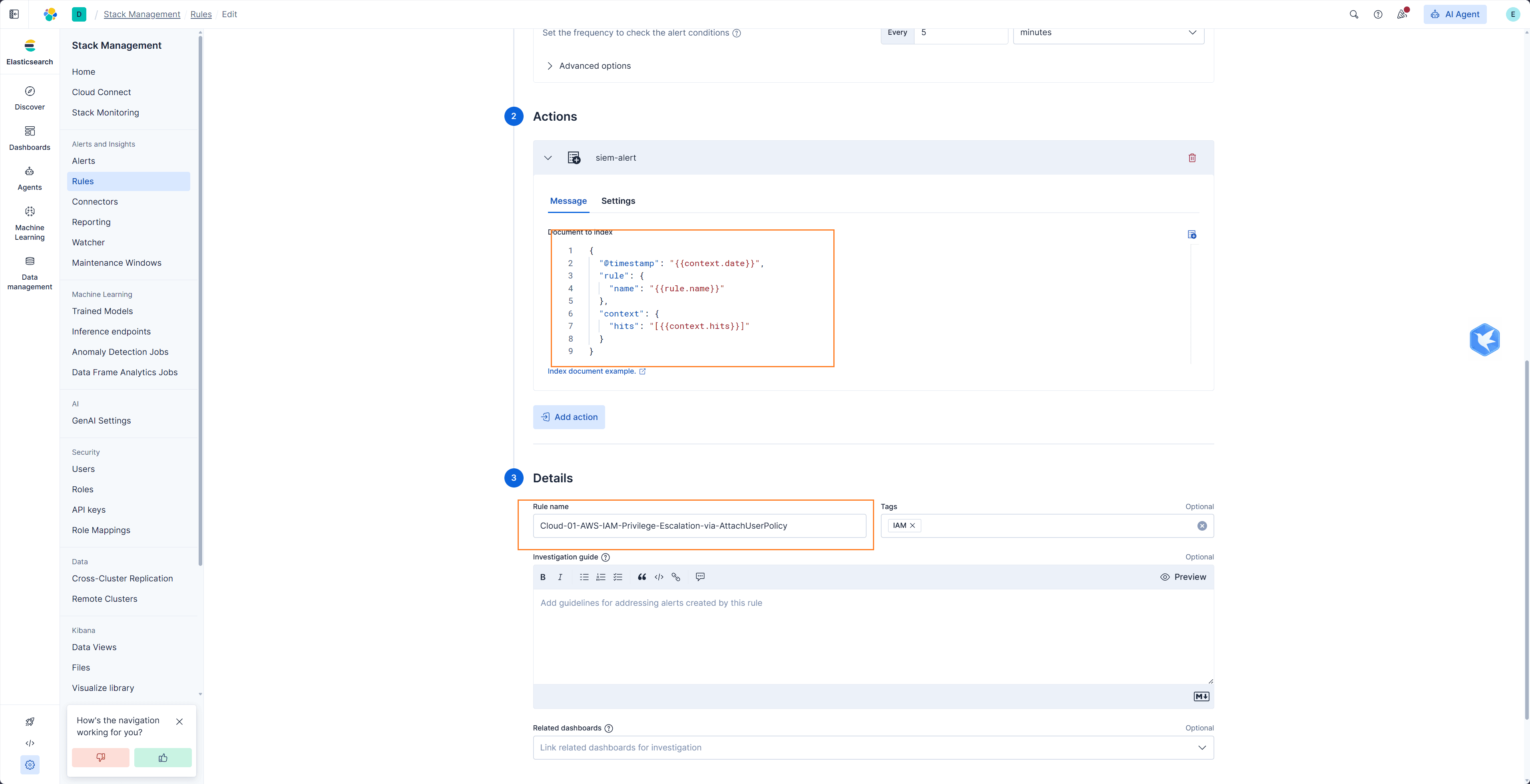
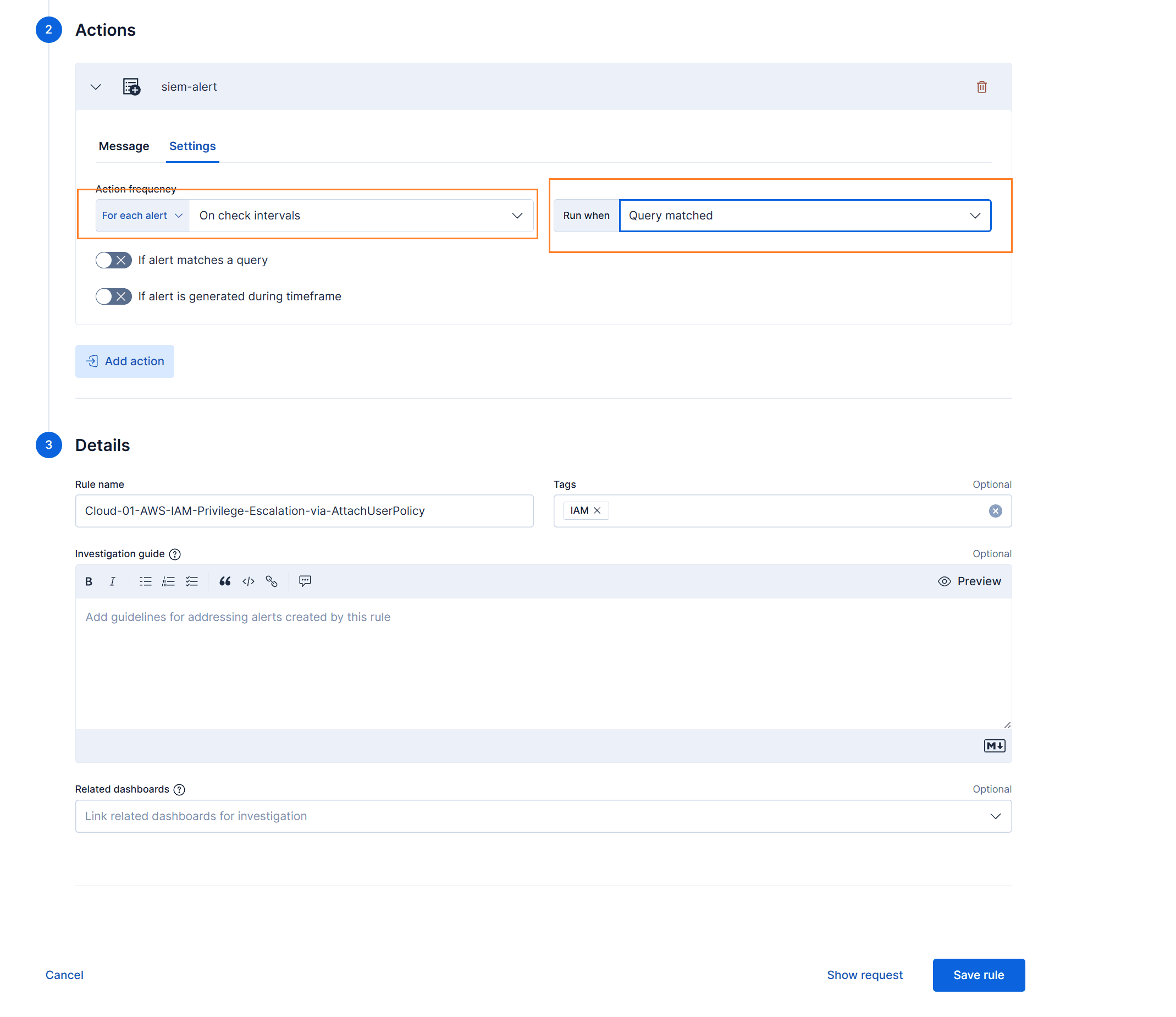
The action document must contain the rule name and the matched original event. ASP reads:
| Field | Description |
|---|---|
rule.name | Used as Stream name and alert rule name. |
context.hits | Matched events. It can be an array or a JSON string. |
Example structure:
{
  "@timestamp": "{{context.date}}",
  "rule": {
    "name": "{{rule.name}}"
  },
  "context": {
    "hits": "[{{context.hits}}]"
  }
}
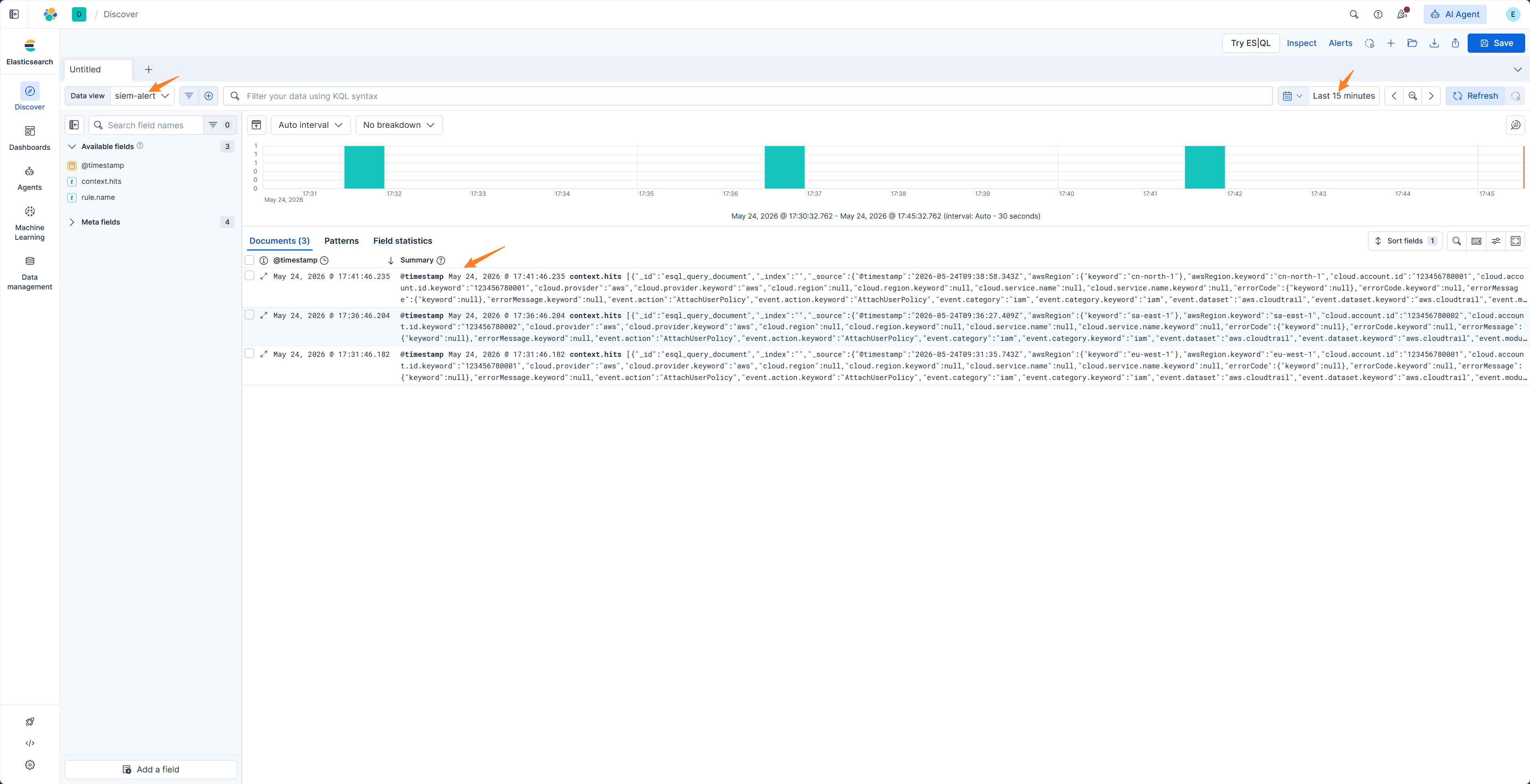
After the Rule triggers, new alert documents appear in the Action Index.
Worker Runtime and Verification
In Docker Compose production deployments, asp-worker-elk-action starts by default with the release package. Enablement, Action Index, polling interval, and read count are configured in SIEM settings; production deployments do not need manual startup arguments.
In source development environments, if you need to debug ELK Index Action directly, start the worker manually from the backend directory:
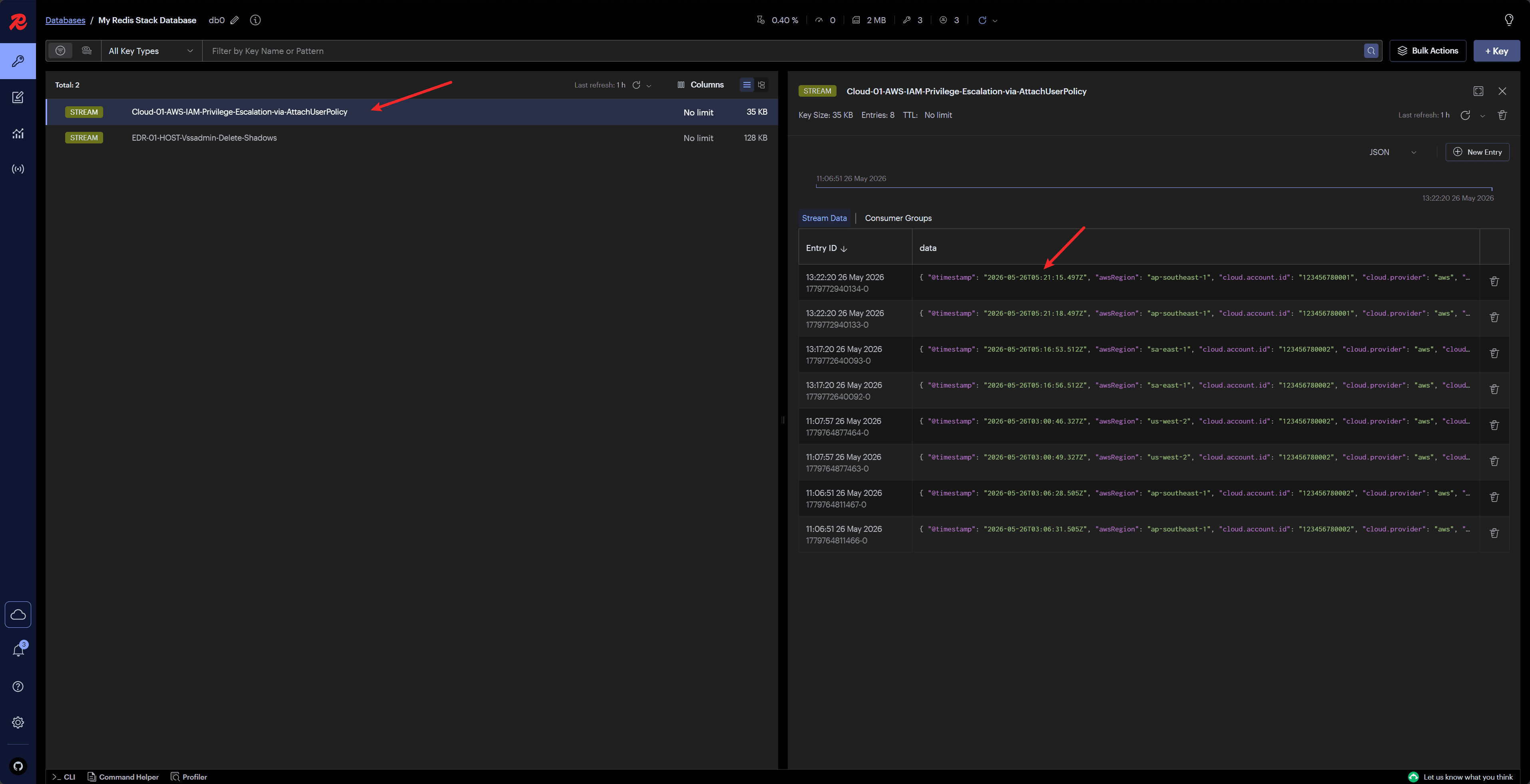
python manage.py run_elk_action_workerView messages written by the worker in Redis or Custom Console to confirm that a Module can consume them.
Difference from Webhook
| Method | Description |
|---|---|
| Webhook | SIEM directly POSTs to ASP /api/webhook/kibana/ or /api/webhook/splunk/. |
| ELK Index Action | Kibana first writes actions to Elasticsearch index, then ASP worker polls and reads them. |
Both methods write to Redis Stream and then hand off processing to Modules.
Recommendations
- If the network allows SIEM to directly access ASP, prefer Webhook.
- If it is more convenient for Kibana to write to Elasticsearch index, use ELK Index Action.
- Ensure
rule.nameandcontext.hitsare complete in the action document. - Confirm that
asp-worker-elk-actionis running; otherwise actions in the index will not be pulled and processed. - For complete examples, see Custom Module Examples.
Next Steps
- SIEM — Configure ELK connection, Action Index, and polling parameters.
- Module Development — Write a Module that consumes the ELK Action Stream.
- Custom Console — Check Stream messages and Module loading status.