
Splunk Webhook
Splunk Webhook sends Splunk Alert results directly to ASP and writes them into Redis Stream for Module consumption.
Endpoint
text
POST /api/webhook/splunk/Replace the domain with your ASP backend address, for example:
text
https://asp.example.com/api/webhook/splunk/Create an Alert in Splunk
Write SPL and save it as an Alert.
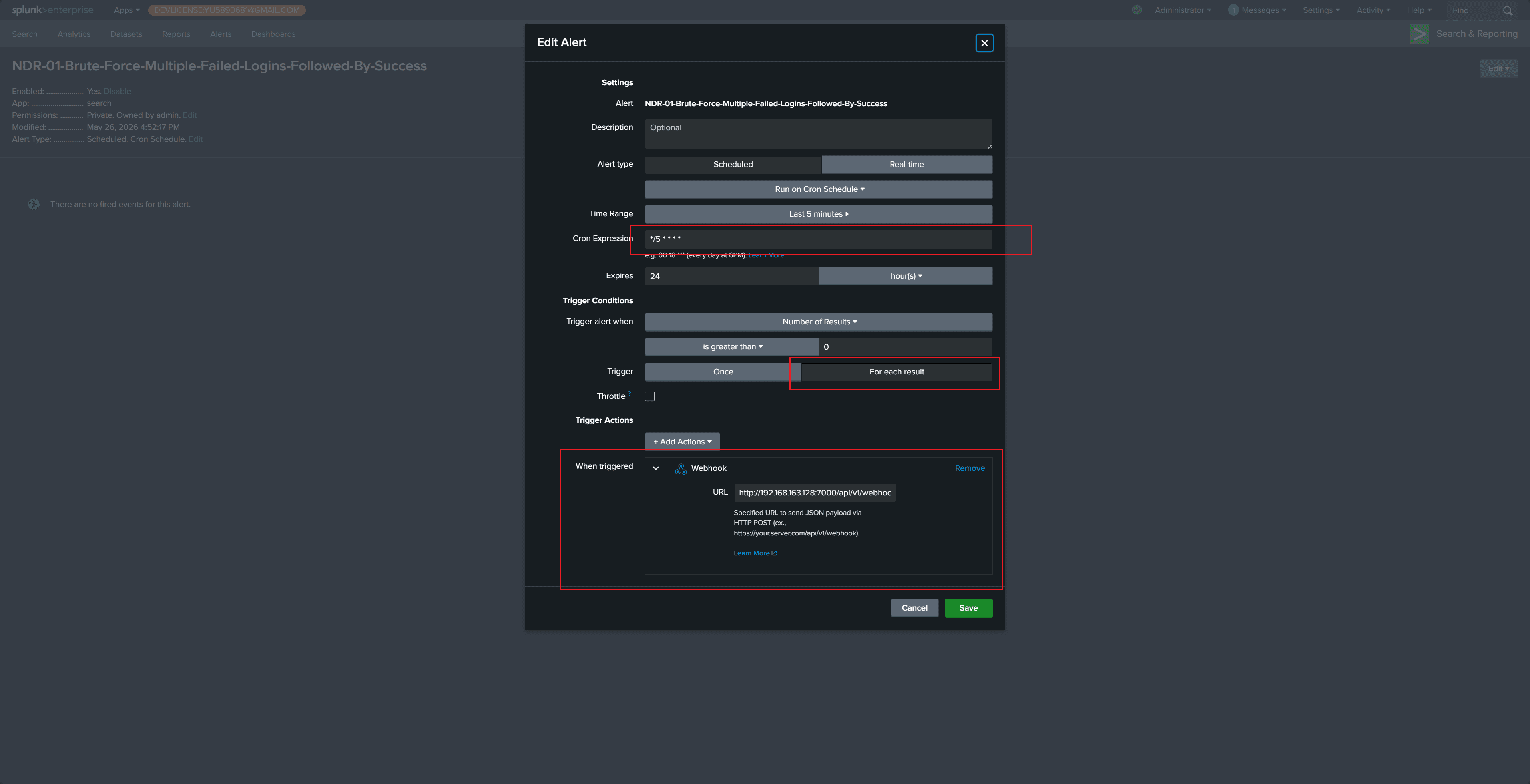
Recommended configuration:
- Set Cron Expression / Time Range according to detection frequency, for example run every 5 minutes and search the previous 5 minutes.
- Select
For each resultas the trigger so each result is sent as an independent Webhook request. - Set Webhook URL to
https://<asp-host>/api/webhook/splunk/. - Keep the Alert name consistent with the target Module
STREAM_NAME.
Payload requirements
ASP's Splunk Webhook reads these fields:
| Field | Description |
|---|---|
search_name | Splunk Alert name. It is used as the Redis Stream name. |
result | Single alert result written to Stream for Module processing. |
sid | Optional Splunk search job ID. |
app | Optional Splunk app. |
owner | Optional Splunk owner. |
results_link | Optional link back to Splunk results. |
Verification
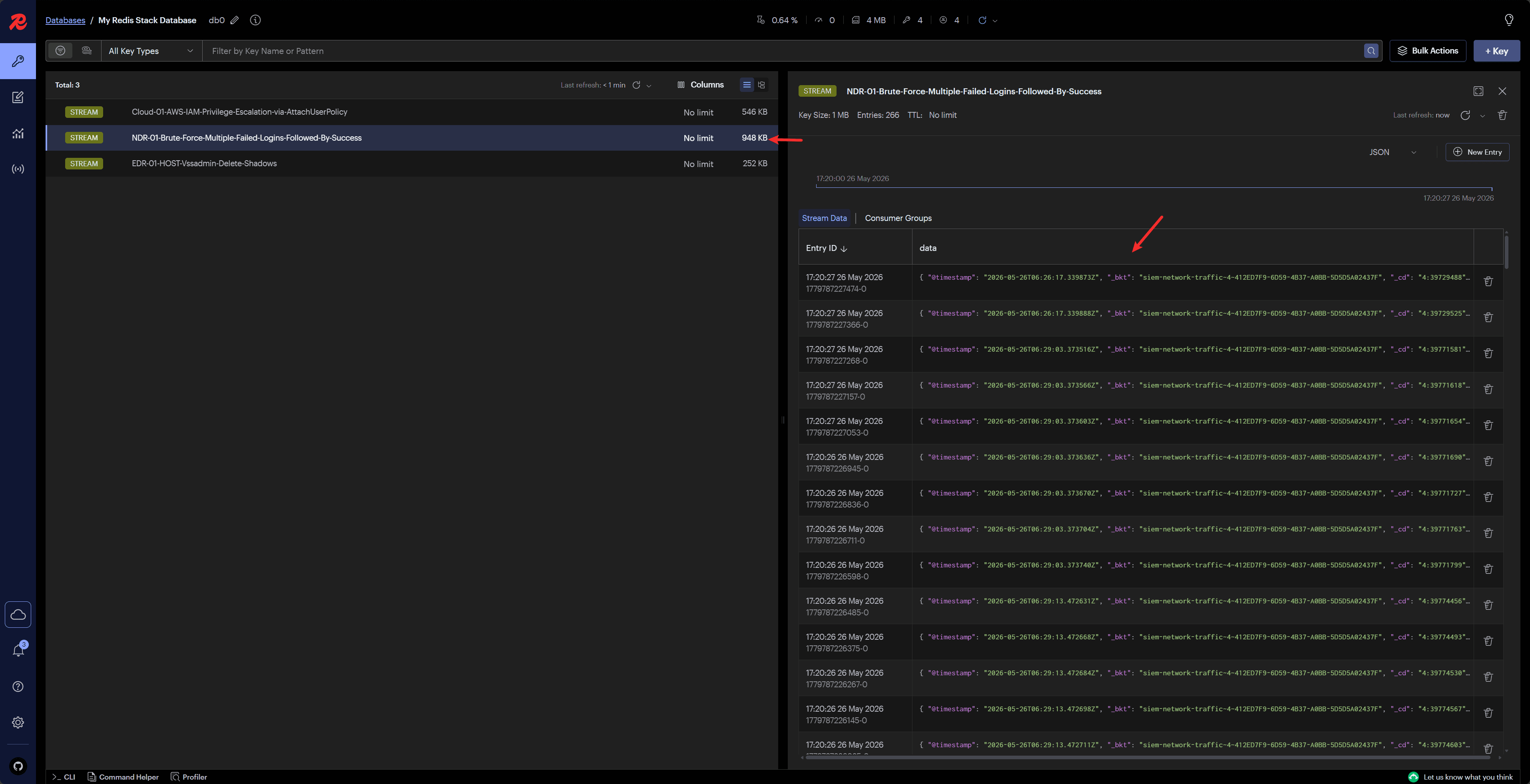
After the Alert triggers, Splunk sends a request to ASP Webhook. After ASP returns success, the result is written to the Redis Stream named by search_name.
View written messages in Redis or Custom Console to confirm that a Module can consume them.
Recommendations
- Keep SPL output fields stable to avoid frequent Module mapping changes.
- Keep Alert name consistent with the Stream name expected by the backend Module.
- Output stable correlation fields for the same event type so Correlation UID can be generated later.
- For complete examples, see Custom Module Examples.
Next Steps
- Module Development — Write a Module that consumes the Splunk Stream.
- Custom Console — Check Stream messages and Module loading status.
- SIEM YAML — Maintain index field descriptions for Splunk log queries.